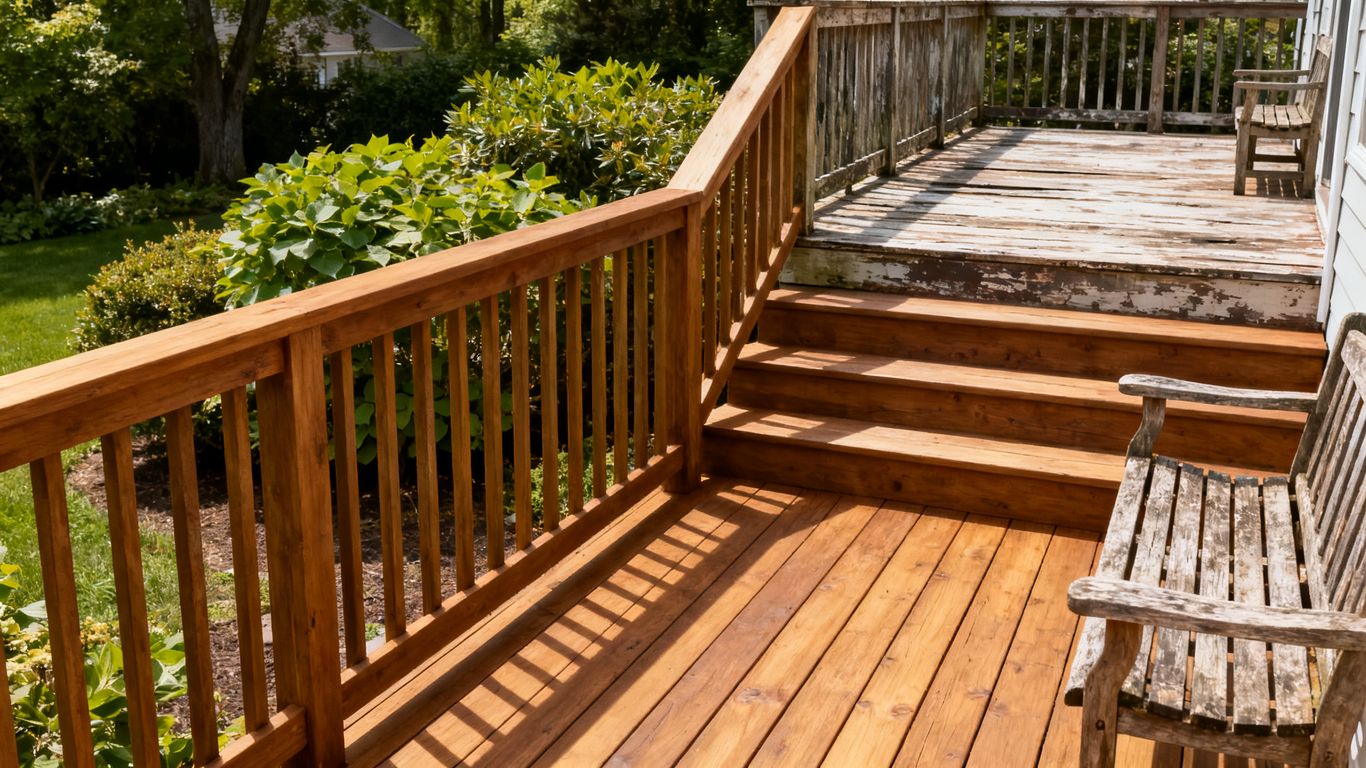
Key Takeaways
A useful deck portfolio helps homeowners understand what you build, where you work, and how to take the next step. Treat each project page as both a visual record and a practical decision-making tool.
- Group projects by material, style, and service so visitors can find relevant examples.
- Pair matching before-and-after photos and explain the work behind the transformation.
- Give images descriptive context, responsive sizing, and concise alt text.
- Connect project pages to genuine service-area information instead of thin location pages.
- Track search visibility and inquiries, then improve the pages that are not earning attention.
Plan a portfolio around the deck projects customers search for
A portfolio works harder when it reflects the questions homeowners bring to a search, not just the order in which jobs were completed. Organize the work so people can quickly find examples that resemble their own plans. That makes the page easier to browse and gives each project a clearer role in your search strategy.
Group projects by material, style, and service
Homeowners often arrive with a preference already in mind: a particular material, a low-maintenance finish, or a deck designed for entertaining. Use categories that reflect the services you actually provide, and avoid creating a category for every minor variation. A short, useful set of groupings is easier to maintain and helps visitors move from a broad idea to relevant examples.
A simple content map can keep categories useful without turning the portfolio into a maze. Choose labels that match real project differences and can be supported by several examples over time.
| Portfolio grouping | Useful project detail | Visitor question it helps answer |
|---|---|---|
| Material | Wood or composite, when accurate | Does this material suit my plans? |
| Project type | New build, repair, or resurfacing, if offered | Have they handled work like mine? |
| Style or feature | Stairs, railing, or multi-level layout | Can this design work in my yard? |
| Location | The town where the project was completed | Do they work in my area? |
Keep the category names plain and specific. They should describe the work rather than promise an outcome or imply services your business does not offer.
Show distinct project types, from new builds to resurfacing
A homeowner planning a new deck is making a different decision from someone considering resurfacing or repairs. Give each service its own examples when you perform that work, so visitors can see the difference in scope. A deck builder before after portfolio SEO plan should reflect those distinctions instead of grouping every job under a generic gallery label.
The distinction also helps you see whether the site represents the projects you want more of. If resurfacing is a priority, for example, make sure the portfolio has an accurate example and a clear path to the relevant service information.
Choose photos that make the transformation easy to see
The strongest before-and-after pair gives viewers a fair comparison. Try to use similar angles and framing, with enough distance to show the whole structure as well as a few closer details that reveal workmanship. The goal is a clear visual comparison, not a dramatic effect created by mismatched lighting or camera positions.
A wide view can explain the overall change; close-ups can show details such as steps, railings, or the meeting point between the deck and the home. Together, these images help visitors form a more realistic impression of the finished project.
Get customer permission before publishing project photos
Before putting a project online, confirm that the customer is comfortable with the photos and the details you plan to share. Be especially thoughtful about identifiable people, house numbers, or other private information in the frame. A quick review with the homeowner can also catch a mistaken project description before it becomes part of your public portfolio.
Use a consistent approval process, and keep a record of what was approved. That small bit of administration can prevent confusion later, particularly if you want to reuse an image on another page or channel.
Build before-and-after pages that answer real questions
A dedicated project page gives a pair of photos room to explain the work, rather than leaving visitors to guess what changed. It can also connect an image search visit to useful service information and a clear inquiry path. Keep the page grounded in what happened on that job; avoid filling gaps with assumptions about the homeowner’s budget or motivations.
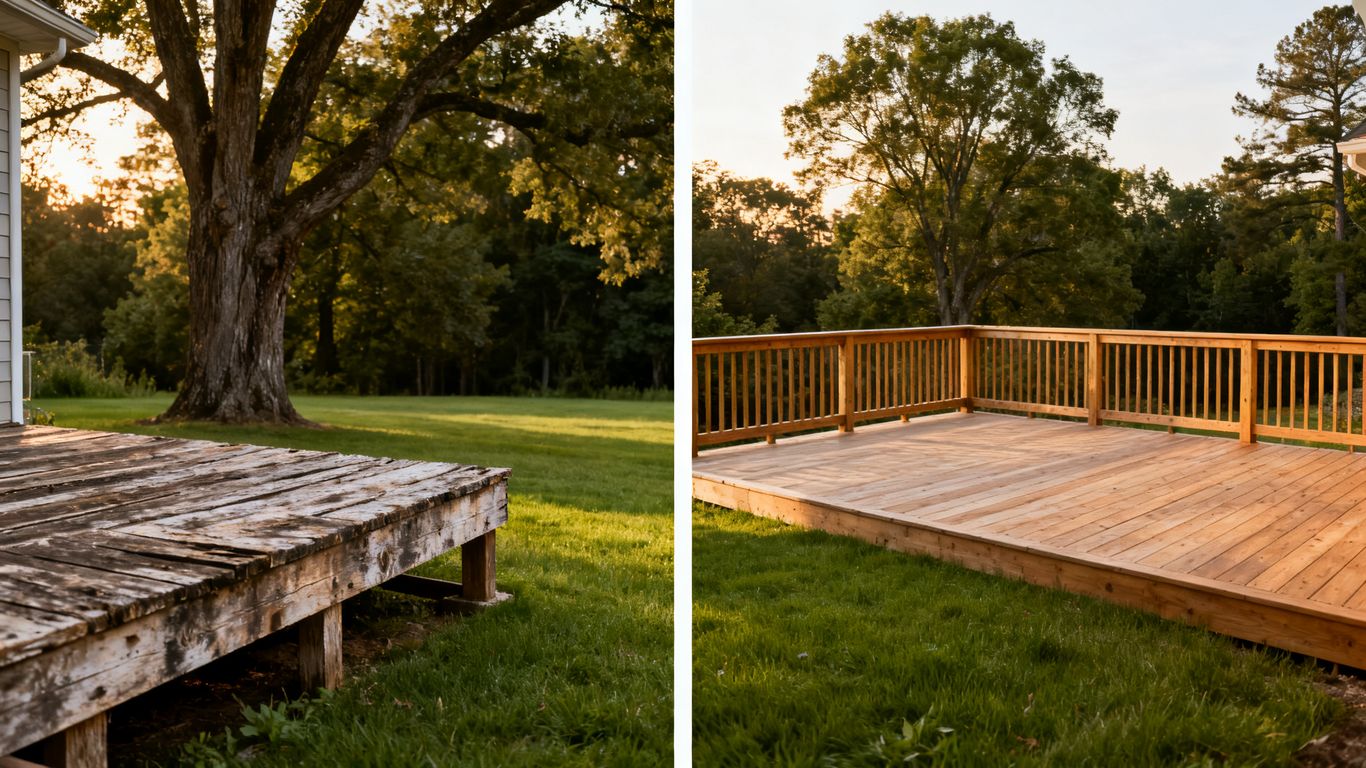
Pair each before photo with its matching after photo
Label the images plainly and place the matching views near one another. When possible, keep the camera angle consistent so the change reads at a glance. If the final photo uses a different view, explain that choice in a caption rather than asking visitors to infer how the two images correspond.
Good pairing is not about making the “before” look worse. It is about helping a potential customer understand the starting condition and the finished result without visual guesswork.
Explain the project scope, materials, and location
Give readers the facts that help them understand the job: what was changed, what materials were used, and the town where the work took place. Include details only when you can verify them. Naming a location accurately can make the page more useful to nearby homeowners without suggesting that one project proves a broader claim about your service area.
A concise project description might cover the existing structure, the main work completed, and one or two relevant design details. That context gives each photo meaning and makes the page more helpful than a gallery image with a generic caption.
Add details that help visitors judge fit and budget
Visitors may be comparing project size, features, and complexity before they request an estimate. Share practical details you know, such as approximate dimensions or included features, while making clear that each project is different. Avoid inventing a price range from a single job or presenting an old estimate as a current quote.
A short set of details can make the page more useful without turning it into a bid. Include only information that is accurate and relevant:
- Approximate deck dimensions, if available.
- Materials and finish used on the project.
- Features such as stairs, railing, or built-in seating.
- A note that final pricing depends on the property and project scope.
This gives prospective customers a better sense of fit while leaving room for a proper conversation about their own site and plans.
Link each project to relevant deck services
Once the page explains the project, give interested readers a natural route to learn about the matching service. A resurfacing example should point to resurfacing information if that service is offered; a new build can link to the new-deck service page. Keep the relationship direct, so the next page answers the question raised by the project.
Avoid sending every visitor to the homepage. A more specific destination makes it easier for someone to continue researching and makes the project page part of a coherent site rather than a dead end.
Optimize project images for Google Images
A compelling photo still needs useful context to be understood by visitors and search systems. Treat the image, its caption, and the surrounding page copy as one package. A practical image workflow also helps keep a portfolio visually sharp without making pages cumbersome on a phone.
Use descriptive filenames and concise alt text
Give each image a filename that describes the scene, such as a material and project detail, instead of leaving a camera-generated string. Write alt text to convey what is actually visible in the image; do not stuff it with repeated search phrases. If a photo is decorative or repeats nearby text, use an appropriate empty alt attribute rather than forcing in a description that adds nothing.
Alt text should help someone who cannot see the image understand its relevant content. A short, specific description is usually more useful than a long list of keywords.
Resize and compress images without sacrificing detail
Upload images close to the size they will actually appear on the page. Oversized files can add unnecessary weight, while aggressive compression can make deck boards, railings, and finish details look muddy. Check the result on a real phone screen as well as a larger display before publishing.
The right balance depends on the image and how prominently it appears. Preserve enough detail to assess the work, but avoid making every portfolio photo a full-resolution original when a smaller version will look just as clear.
Choose responsive formats and dimensions for mobile
A portfolio is often browsed from a phone, so images should fit the visitor’s screen without requiring sideways scrolling or repeated zooming. Use responsive image markup and appropriate dimensions so the browser can select a suitable file for the available display. Check that the before-and-after pair remains easy to compare on a narrow screen.
Professional photography is among the services described by Fierce Creative Solutions, but whatever the source of your images, the page still needs sensible file sizes and mobile-friendly presentation. A strong photo should load cleanly and remain legible where homeowners are most likely to browse.
Add image context through captions and page copy
A caption can identify the project type, material, or location in a few plain words. The surrounding copy should then add useful context without merely repeating the caption. Together, those elements help readers understand what is pictured and why the example may be relevant to their plans.
Keep the description factual. If an image shows a finished deck but not the construction process, do not imply that the photo documents every stage of the job.
Strengthen local relevance without overclaiming
Local details help a portfolio connect completed work with the places your business genuinely serves. That does not mean every nearby town needs a nearly identical page. Start with accurate project information and link it to service-area content only where the connection is useful to a homeowner.
Name the service area where the work was completed
Mention the town or area where the project took place when you can verify it and the customer is comfortable sharing it. That simple detail gives the example local context without suggesting that one completed job establishes service coverage everywhere nearby. Keep the wording specific and matter-of-fact.
For a broader view of the topic, Fierce Creative Solutions describes an approach that includes local SEO and website design alongside other marketing services. The practical lesson for a project page is still straightforward: name the real location and explain the real work.
Connect project pages to the relevant city or service pages
A project page should connect to a service page or location page only when that destination adds something useful. A homeowner reading about a new build in a town you serve may benefit from a link to the new-build service details. For related guidance on the difference between new builds and refinishing, see this new-build and refinishing guide.
Internal links work best when their labels describe the destination. That way, a visitor knows what to expect before clicking, and the site’s structure remains understandable even as the portfolio grows.
Keep business and location details consistent
Use the same business name, phone number, and core service-area descriptions across the website and other public business listings. If a location detail changes, review the pages where it appears rather than letting old information linger in the portfolio. Consistency helps a visitor confirm they have reached the right company.
This is basic housekeeping, but it matters. A contact detail that differs between pages can create avoidable uncertainty at the exact moment someone is considering a call.
Avoid thin pages created only to target nearby towns
Do not duplicate one project page across several towns just to include more place names. A useful local page needs a genuine reason to exist, such as distinct completed work or information that addresses local customers’ actual needs. If there is not enough unique information to support a page, keep the project on its original page and link it naturally from relevant service content.
Fierce Creative Solutions also describes local SEO as part of its marketing approach; for any business, local relevance is strongest when it is supported by accurate work and useful pages, not repeated place names. Quality and truthfulness are better foundations than page volume.
Turn portfolio visits into qualified calls
A portfolio visit can be an early research step, so the page should make it easy to act without pressuring someone who is still comparing options. Put the inquiry route close to the project details and make the next step understandable. Clear expectations can help attract conversations that fit your services and service area.
Place a clear estimate request near the project details
After a visitor has seen the photos and read the scope, offer a clear way to ask about a similar project. Use plain language that tells them what happens next, rather than a vague button label. A clear next step should feel connected to the work they are viewing, not like an unrelated interruption.
Keep the request form focused on information that helps begin the conversation. If you need more detail later, ask for it then; a long form can be a needless hurdle for someone who is still exploring.
Make calling easy on mobile
Make the phone number easy to find and usable as a tap-to-call link on mobile. Check it on an actual phone, not only in a desktop preview. If calls are a preferred route for your business, avoid burying the number beneath several screens of project copy.
A visible number is not a substitute for a useful page, but it removes friction for visitors who are ready to ask a quick question. Keep the contact information consistent wherever it appears.
Match calls to action to the project a visitor is viewing
A visitor reading about resurfacing may need a different prompt from someone looking at a new build. Keep the action relevant to the example, while avoiding promises about availability or outcomes that you cannot guarantee. A small amount of contextual wording can make a generic estimate request feel more helpful.
The project page can also tell the visitor what details to have ready, such as the general location and the type of work they are considering. That makes the invitation feel practical rather than sales-heavy.
Set expectations for timelines, service areas, and next steps
Explain how an inquiry is handled, which areas you serve, and whether a site visit or additional discussion may be needed before an estimate. Do not publish a fixed timeline unless you can keep it current. If schedules shift by season, say so in general terms and update the page when conditions change.
Fierce Creative Solutions lists paid advertising, website design, and other marketing services among its offerings; for a deck builder’s portfolio, the immediate job is more modest: set accurate expectations and make it easy to begin a relevant conversation.
Measure visibility, engagement, and leads
A portfolio should be reviewed as part of the website’s real performance, not judged by photo count alone. Search visibility, image clicks, page engagement, and inquiries each describe a different part of the visitor journey. Track them consistently so you can decide whether to improve an existing page or add a genuinely different project example.
Track image impressions and clicks in Google Search Console
Review image search data in Google Search Console alongside the pages receiving impressions and clicks. Look for patterns across project pages, but be cautious about drawing conclusions from a short period or a small number of visits. Search visibility can fluctuate, and a single image’s performance does not establish what every project page will do.
Use the data to identify pages worth inspecting. If a page appears in search but earns few clicks, check whether its image and page title accurately convey what a visitor will find.
Monitor calls and form submissions by landing page
Record which page a call or form submission came from where your measurement setup allows it. That makes it easier to distinguish a page that attracts casual browsing from one that contributes to inquiries. Check that the tracking works before using the numbers to make decisions.
Do not treat every call as a qualified opportunity. A brief review of the inquiry’s service type, location, and fit can make the numbers more useful for business planning.
Compare engagement across project types and photo sets
Compare similar pages over a consistent period, and note differences in project type, imagery, and the information provided. Avoid assuming a photo caused a change when several page elements changed at once. The comparison is a way to form a better question, not an automatic verdict on a design choice.
A steady review can reveal practical gaps: perhaps a certain service has no detailed example, or a page gets visits but leaves basic questions unanswered. Those observations give you a grounded place to improve.
Refresh underperforming pages with stronger images and details
When a page underperforms, start by checking whether the images are clear, the project facts are complete, and the next step is easy to find. Replace weak or mismatched photos where you have better approved images, then update the captions and page copy to match. Change one or two meaningful elements at a time so you can understand what improved.
A deck builder before after portfolio SEO effort is ongoing maintenance, not a one-time upload. Keep the best project pages accurate, useful, and easy to navigate as the business takes on new work.
Conclusion
A strong before-and-after portfolio makes real deck projects easier to discover and easier to evaluate. Organize examples around the work customers seek, explain each transformation with honest details, and connect the page to a relevant next step. Then use search and inquiry data to refine the pages that matter, without mistaking a larger gallery or more location pages for better results.
Frequently Asked Questions
How many before-and-after photos should a deck portfolio include?
There is no required number. Start with a small set of clear, well-documented projects that represent the services you offer, then add examples when you have useful photos and accurate project details.
Should before-and-after photos use the same camera angle?
When possible, yes. Similar framing makes it easier to compare the original condition with the finished deck. If the views differ, make the relationship clear with labels or captions.
What should a deck project page include?
Include paired photos, the project scope, materials, a verified location when appropriate, and a relevant service link or contact option. Share only details you can confirm.
Does alt text help deck photos appear in Google Images?
Alt text helps describe an image’s content, especially for people who cannot see it. Write concise, accurate descriptions; image visibility also depends on the image and the context of the page.
Should every town in a service area have its own portfolio page?
No. Create a location page only when it can offer genuinely useful, distinct information. Repeating the same project copy with different town names adds little value for visitors.
How can a portfolio turn more visitors into calls?
Make contact options easy to find, explain what happens after an inquiry, and connect each project to a relevant action. Clear service-area and scope details help visitors decide whether to reach out.
How often should deck project pages be updated?
Review them periodically and whenever project details, service information, or contact information changes. Use performance data to prioritize updates, and replace images only when you have a stronger approved example.