Googled Countertops, Now See Your Facebook Ad: Cross-Platform Setup
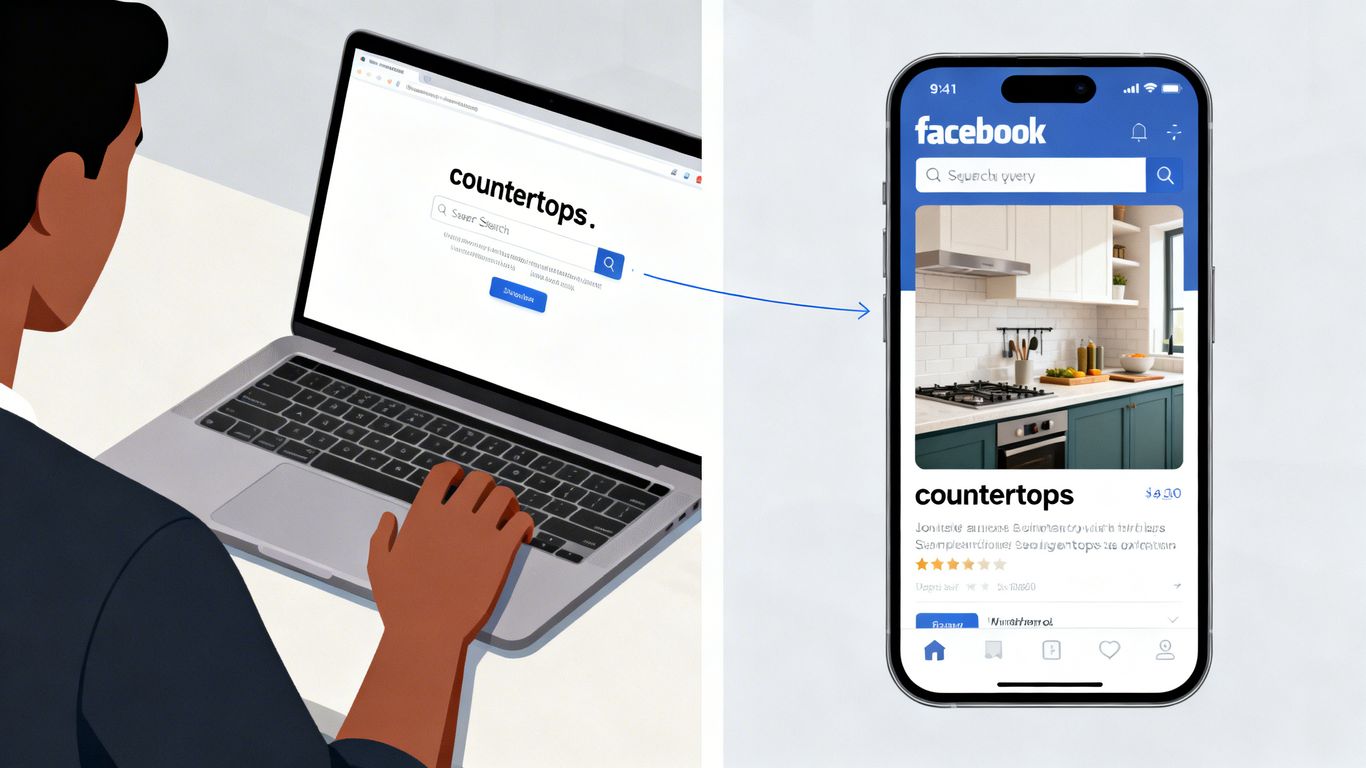
So, you've been thinking about new kitchen countertops. Maybe you searched Google for 'granite installers near me' or browsed some pictures on Instagram. Now, you're seeing ads for those exact countertops pop up on Facebook. That's not magic; it's called countertop cross platform retargeting. It's a smart way for businesses to stay in front of potential customers, no matter where they are online. Let's break down how this works and how you can use it to get more people interested in your countertops.
Key Takeaways
- Cross-platform retargeting means showing ads to people who've already interacted with your business, across different websites and apps like Google, Facebook, and Instagram.
- Setting up Google Ads involves creating specific audiences based on who visited your site and using features like RLSA and Performance Max to reach them effectively.
- For Facebook and Instagram, you'll build custom audiences from website visitors and create lookalike audiences to find similar potential customers.
- Connecting your Google Ads and Facebook Business Manager accounts allows you to share audience data and keep your ad messages consistent across both platforms.
- Constantly checking your results, trying different ad images and text, and adjusting your strategy based on what works is how you get the best results from countertop cross platform retargeting.
Understanding Countertop Cross Platform Retargeting
Defining Cross-Platform Retargeting for Countertop Businesses
Cross-platform retargeting means showing countertop ads to people across different websites and apps, not just one. So, if someone checks out granite options on your site, they might start seeing your ad everywhere: on Facebook, Google, or even their favorite recipe app. This setup isn’t just random; it hooks interested homeowners and keeps you top-of-mind no matter where they scroll.
Key points:
- Tracks users as they move between devices and websites
- Ads are shown based on their actions on your countertop site
- Helps small businesses compete with big-box stores for attention
The Power of Reaching Homeowners Across Devices
People rarely finish buying countertops in one sitting. One minute they’re browsing on their phone at lunch, and later, they compare materials on their laptop at home. Cross-platform retargeting lets you follow up with them as they switch devices.
Main device usage by homeowners shopping for countertops:
| Device | Estimated Usage (%) |
|---|---|
| Smartphone | 55 |
| Laptop/Desktop | 35 |
| Tablet | 10 |
Staying visible on all these devices means your business doesn’t miss out when they’re finally ready to buy.
Why Countertop Cross Platform Retargeting Matters
When you keep showing up as people research surfaces and compare prices, you become the familiar option. That makes them much more likely to call for an estimate or visit your showroom.
- Cuts down on wasted ad spend by showing ads only to interested folks
- Builds trust by making your brand look reliable and everywhere
- Boosts quote requests because shoppers remember your name
The more you remind homeowners about your countertop business while they’re deciding, the higher your odds of getting picked. Retargeting across platforms isn’t just tech for tech’s sake; it brings real results by following how people actually shop.
Setting Up Your Google Ads For Countertop Retargeting
Getting Google Ads sorted for countertop retargeting isn’t rocket science, but you do need a game plan. Whether you’re running a family-owned shop or a bigger outfit, Google gives you the tools to get your ads in front of folks who are truly interested. Let’s go step by step and keep it straightforward.
Audience Segmentation in Google Ads
If you want to get specific (and you should), start by breaking up your audience into sensible groups. Not every visitor to your countertop website is at the same stage: some are just browsing; others are ready to get a quote.
- Segmentation ideas:
- New visitors who have never filled out your form
- Returning visitors who checked out a product page more than once
- Folks who started but didn’t complete the online estimate tool
- This way, you avoid blasting everyone with the same ad and can make your message fit where the person actually is in the buying process.
Grouping your audience well means you’re not leaving money on the table or annoying people who aren’t interested (yet).
Implementing Remarketing Lists for Search Ads (RLSA)
RLSAs are how you keep your brand in front of people who are already aware of your business. Here’s the gist:
- Set up a remarketing tag on your website to collect visitor data.
- Build lists within Google Ads based on actions: say, visited a product page or added something to a wishlist.
- Adjust your bids or tailor your search ads so those folks see more relevant messages when they’re searching again.
A quick table to keep your RLSA lists clear:
| List Name | Visitor Action | Ad Message Focus |
|---|---|---|
| Product Pager | Visited specific product | Feature & Price |
| Cart Abandoners | Added to cart, not finished | Free Consultation |
| Repeat Visitors | 3+ visits in last month | Special Offers |
Leveraging Performance Max for Countertop Leads
Performance Max campaigns can handle a lot: for countertop leads, this means putting your ads everywhere Google can reach.
- Combine search, display, Gmail, YouTube, and Maps placements in one campaign.
- Upload images of your best countertop jobs to grab attention.
- Trust Google’s algorithms to chase the leads most likely to get in touch or request a quote.
One thing about Performance Max: you don’t have to fiddle with each placement individually, Google tries to find the right mix based on your goals.
Using Performance Max lets you tee up your countertop ads across many places, catching local customers even if they aren’t using Google Search that day.
That’s your foundation set on the Google side. Next up is how to reach those same visitors when they check Facebook or Instagram. Don’t worry: it’s easier than you think.
Activating Facebook and Instagram Retargeting Campaigns
Getting your countertop business in front of people on Facebook and Instagram after they’ve checked out your website is powerful. Here’s how to do it properly.
Building Custom Audiences from Website Visitors
Custom Audiences let you target everyone who came by your website, even if they didn’t fill out a quote form or call. To do this:
- Set up the Meta Pixel on your website. This is a tiny piece of code that tracks who visits your site.
- Tell Meta which website actions matter, like visits to your pricing page or your contact form.
- Head to Facebook Ads Manager, and create a Custom Audience using the traffic your pixel picked up: maybe just people who visited your granite or quartz countertop pages.
Even if someone only browsed for a few seconds, they’ll see your ads again while scrolling through their social feed, keeping your business fresh in their mind.
Creating Lookalike Audiences for Broader Reach
Sometimes, you want to reach more than just previous website visitors. Lookalike Audiences help you find people who are similar to your existing customers or website visitors. Here’s what you can do:
- Use your Custom Audience as the source.
- Decide how similar or broad you want the new audience to be (Facebook will guide you on this).
- Target this new group with ads: these people have a higher chance of being interested in new countertops for their home.
Designing Compelling Ad Creatives for Facebook and Instagram
What’s in your ad matters just as much as who sees it. These tips can help your countertop ads stand out:
- Use real before-and-after photos from jobs you’ve completed.
- Keep text short and easy to understand. No need to explain everything in the ad.
- Highlight any seasonal promotions or financing options.
- Focus on benefits, like how easy clean-up is or how nice the kitchen looks after an upgrade.
| Creative Element | Recommended Format | Why It Works |
|---|---|---|
| Photo | Square (1:1) | Fits both Instagram & Facebook |
| Video | Under 30 seconds | Holds attention, shows transformations |
| Call To Action | "Get a Free Estimate" | Direct, tells people what to do next |
It’s usually best to keep your ads simple and show real results, not just stylized stock photos. This helps people picture their own kitchen getting the same upgrade.
Connecting Google and Meta Platforms for Seamless Retargeting
So, you've got your Google Ads set up to catch folks who checked out your countertops, and now you want to hit them up on Facebook and Instagram too. Smart move. It's all about being where your potential customers are, and that means linking these big platforms so your ads follow them around. This cross-platform approach makes sure your brand stays top-of-mind.
Linking Google Ads and Facebook Business Manager
First things first, you need to connect your accounts. This sounds technical, but it's pretty straightforward. You'll be working within both Google Ads and Facebook Business Manager to establish this link.
- In Google Ads: You'll typically find options under 'Account Settings' or 'Linked Accounts' to connect with Meta (Facebook). You'll need your Facebook Business Manager ID.
- In Facebook Business Manager: Look for 'Business Settings' and then 'Data Sources' or 'Integrations'. You'll add Google Ads as a partner connection.
- Authorization: Both platforms will ask you to authorize the connection. This usually involves logging into each account and granting permissions.
This connection lets you share data, like audience lists, between the two systems. It's like building a bridge so information can flow back and forth.
Sharing Audiences Between Platforms
Once linked, you can start sharing those valuable audience lists. Imagine someone browsed your quartz collection on your website. You want to show them ads for that same quartz on Facebook. Here's how you can make that happen:
- From Google Ads to Meta: You can export your Google Ads remarketing lists (like people who visited specific product pages) and upload them as Custom Audiences in Facebook. This is a manual process, but it works.
- Using the Meta Pixel and Google Tag: The more advanced way is to have both the Meta Pixel and the Google Tag (or Google Analytics) installed on your website. These tags track visitor behavior. You can then create audiences in Google Ads based on website activity and, through the linked accounts, make these audiences available in Facebook Ads Manager, and vice-versa.
- Third-Party Tools: Some marketing platforms can help automate this audience syncing, which can save a lot of time if you're managing many lists.
The goal here is to create a unified view of your potential customer. When someone interacts with your business on one platform, you can use that information to tailor their experience on another. It's about consistency and relevance, making sure the right message gets to the right person, no matter where they are online.
Ensuring Consistent Messaging Across Ads
It's not enough to just show ads everywhere; they need to make sense together. If someone saw an ad for granite countertops on Google, they shouldn't see an ad for a completely different service on Facebook without some connection.
- Brand Voice: Keep your brand's tone and style consistent. Are you high-end and sophisticated, or more budget-friendly and practical? Your ads should reflect that.
- Visuals: Use similar imagery or a consistent visual theme. If your Google ads feature a specific kitchen style, try to echo that in your Facebook ads.
- Offers and Calls to Action: If you're running a promotion, make sure it's clear across all platforms. The call to action (e.g., 'Get a Free Quote', 'Browse Styles') should align with the user's journey.
Think of it like a conversation. You wouldn't start a new conversation with someone by completely ignoring what you just talked about. Your retargeting ads should feel like a natural continuation of their previous interaction with your brand.
Optimizing Your Countertop Cross Platform Retargeting Strategy
So, you've got your Google Ads talking to your Facebook campaigns, and homeowners who looked at granite countertops on their laptop are now seeing ads for quartz on their phone. That's great! But just setting it up isn't the end of the road. To really make this work, you've got to keep an eye on things and tweak them. It’s like tuning a guitar: you want it to sound just right.
Tracking Conversions Accurately
First things first, you need to know what's actually working. If you don't track conversions right, you're flying blind. This means making sure both Google Ads and Facebook know when someone actually fills out a form, calls your business, or even just spends a good amount of time on your 'contact us' page. It sounds simple, but getting this set up correctly across different platforms can be tricky. You want to see the whole picture, not just bits and pieces.
- Set up conversion tracking in Google Ads. This usually involves adding a piece of code to your website.
- Install the Meta Pixel on your website. This helps Facebook track actions users take after seeing your ads.
- Use UTM parameters. These are like little tags you add to your ad links to tell you exactly where the traffic came from in Google Analytics.
A/B Testing Ad Copy and Visuals
Don't just stick with the first ad you create. Your customers are people, and people are different. What catches one person's eye might be ignored by another. That's where A/B testing comes in. You create two versions of an ad, maybe one with a different headline, or a different picture of a kitchen island, and let the platforms show them to different groups. Then, you see which one gets more clicks or leads. It’s a smart way to figure out what really connects with potential buyers.
Here’s a quick look at what you might test:
| Element Tested | Version A | Version B | Winner (Example) |
|---|---|---|---|
| Headline | "Stunning Granite Countertops" | "Affordable Granite Countertop Deals" | Version B |
| Image | Close-up of granite texture | Full kitchen with granite | Version A |
| Call to Action | "Get a Free Quote" | "View Our Gallery" | Version A |
Analyzing Performance Data for Continuous Improvement
Once you've got your tracking sorted and you're testing ads, you'll start seeing data. This data is gold. Look at which platforms are sending you the most leads, which audiences are responding best, and which ads are getting the most attention. Maybe you find that people who see your ads on Instagram are more likely to convert than those who see them on Google Search. Or perhaps a specific type of kitchen photo works better than another. Home improvement campaigns often see success by focusing on these details. Use this information to shift your budget, refine your targeting, and create even better ads. It’s an ongoing process, not a one-and-done deal. You're always learning and getting better.
The key is not to get overwhelmed by the numbers. Start with the basics: what's driving clicks, what's driving actual business, and where are you spending the most money? Focus on improving those areas first. Small changes can add up to big results over time.
Advanced Tactics for Countertop Lead Generation
Okay, so you've got the basics down. You're retargeting people who looked at your granite slabs on their laptop and then saw your ad on their phone. That's good stuff. But what if you want to really crank up the lead generation machine? We're talking about going beyond the standard setup.
Utilizing Dynamic Retargeting for Specific Products
This is where things get really smart. Instead of just showing someone an ad for 'countertops,' dynamic retargeting shows them the exact countertop they were looking at. If someone spent time on your page for the "Calacatta Gold" marble, your ad will feature that specific slab. It's like saying, "Hey, I know what you like!" This makes the ad way more relevant and increases the chance they'll click.
- How it works: You need to set up a product feed (or a catalog) that lists all your countertop styles, materials, and images. Google and Facebook then use this feed to automatically pull the right product into the ad.
- Benefits: Higher click-through rates, more personalized ad experience, and better conversion rates because you're showing people exactly what they showed interest in.
- Implementation: This usually involves connecting your website's product catalog to your Google Ads and Facebook Business Manager accounts. It takes a bit of setup, but the payoff can be huge.
Integrating TikTok and Other Platforms
Don't sleep on newer platforms. TikTok, for instance, is no longer just for dancing teens. Homeowners are there, looking for inspiration and ideas. Setting up retargeting campaigns on platforms like TikTok can catch people who might not be as active on Facebook or Google.
- TikTok: You can install a TikTok Pixel on your website, similar to the Facebook Pixel, to track visitors and build custom audiences. Then, you can run ads targeting these audiences.
- Pinterest: This platform is a visual search engine for home ideas. Retargeting users who have engaged with your pins or visited your website can be very effective for countertop businesses.
- Consideration: Each platform has its own ad formats and audience behaviors. You'll need to tailor your creative and messaging.
Refining Bidding Strategies for Maximum ROI
Once you're running campaigns across multiple platforms, you need to be smart about how you bid. It's not just about spending money; it's about spending it wisely to get the most leads for your budget. This is where data-driven marketing solutions can really help.
- Automated Bidding: Platforms offer automated bidding strategies (like Target CPA or Maximize Conversions) that use machine learning to find the best opportunities. You set a goal, and the platform tries to hit it.
- Bid Adjustments: You might want to bid higher for users who are more likely to convert, perhaps those who have visited specific high-intent pages on your site or are in a certain geographic area.
- Budget Allocation: Regularly review which platforms and campaigns are bringing in the best results and shift your budget accordingly. Don't be afraid to cut spending on underperforming areas.
When you start using dynamic ads and expanding to new platforms, it's easy to get overwhelmed. The key is to start small, test, and then scale what works. Don't try to do everything at once. Focus on getting the dynamic retargeting right first, then maybe add one new platform. Keep an eye on your numbers.
By implementing these advanced tactics, you're not just showing ads; you're creating a sophisticated system designed to capture leads at every touchpoint. It's about being where your potential customers are, with the right message at the right time. For businesses looking to grow their market presence in competitive areas, this kind of targeted approach is key. Check out Dijital Karma's solutions for more on data-driven marketing.
Want to get more people interested in your countertops? We've got some awesome tricks up our sleeve to help you find customers. These aren't your usual methods; they're smart ways to connect with people looking for new kitchen or bathroom surfaces. Ready to see how you can attract more clients and boost your business? Visit our website today to learn these game-changing strategies!
Putting It All Together
So, you've seen how someone searching for countertops on Google might end up seeing your ad on Facebook. It’s not magic, it’s just smart advertising. Connecting these platforms means you’re not just hoping people find you once. You’re staying in front of them, reminding them about your business when they’re scrolling through their feed after looking at your website. For home service businesses, this kind of cross-platform approach is how you go from getting a few calls to filling up your schedule. It takes a bit of setup, sure, but the payoff in reaching more customers and getting more jobs done is totally worth it.
Frequently Asked Questions
What is cross-platform retargeting for countertop businesses?
Cross-platform retargeting means showing ads to people who visited your countertop website on different platforms, like Google and Facebook. If someone looks at your countertops on Google, they might see your ad later on Facebook or Instagram. This helps you stay in front of customers wherever they go online.
How do I set up Google Ads for countertop retargeting?
First, make sure you have the Google Ads tag on your website. Then, create audience lists based on who visits your site or certain pages. Use these lists to target people with search ads (RLSA) or Performance Max campaigns. This way, you can remind people about your countertops when they search or browse online.
Can I use my Google audiences on Facebook and Instagram?
You can’t directly share Google audiences with Facebook, but you can create similar groups. Export your customer email list from your website or CRM, then upload it to Facebook to make a custom audience. You can also build lookalike audiences to reach new people who act like your best customers.
What’s the best way to track conversions across Google and Meta?
Install both the Google Ads conversion tag and the Facebook Pixel on your website. Use Google Tag Manager to keep things organized. This helps you see which ads are bringing in leads or sales, so you know what’s working and what needs fixing.
How can I make sure my ads look the same across platforms?
Use the same images, colors, and main message in your Google and Facebook ads. This helps people recognize your brand, no matter where they see your ad. Change the ad size and format to fit each platform, but keep the style and message consistent.
What are some advanced ways to get more countertop leads with retargeting?
Try dynamic retargeting to show people the exact countertop styles they viewed on your site. Test ads on other platforms like TikTok or Spotify for more reach. Also, keep tweaking your bids and ad copy to get the best results for your budget.