
So, you've got a Houzz profile for your countertop business. That's cool, but is it actually bringing in customers? A lot of companies just set up a profile and forget about it, which is a huge missed opportunity. Think of it like having a storefront but never opening the door. We're talking about making your Houzz profile work hard for you, turning those profile views into actual calls and booked jobs. It’s not just about having a presence; it’s about actively generating leads. Let's get your countertop Houzz profile lead gen dialed in.
Key Takeaways
- Your Houzz profile can be a solid source of leads if you treat it like one, not just a digital brochure. It's about active lead generation.
- Homeowners on Houzz are actively looking for inspiration and professionals. Your profile needs to speak directly to their needs and show you're the right choice.
- Getting real people to recommend you (verified reviews) builds trust fast. This is a big deal for getting people to pick up the phone.
- Make sure your Houzz profile clearly states what you do, where you work, and what makes you different. Don't make people guess.
- Using Houzz's paid tools can really boost your visibility, but you need to know how to set them up right and track if they're actually bringing in good leads for your countertop business.
Why Your Countertop Houzz Profile Needs to Be an Active Lead Source
Think of your Houzz profile not just as a digital business card, but as a busy storefront. Homeowners are actively searching for countertop professionals on Houzz every single day. If your profile isn't set up to grab their attention and guide them toward contacting you, you're missing out on a serious stream of potential business. It’s more than just having a listing; it’s about making that listing work for you.
Houzz Versus Local Search: Where Are Real Leads Hiding?
Sure, people use Google to find local businesses, but Houzz is different. It’s a platform specifically designed for home renovation and design projects. When someone is on Houzz, they're usually in the planning or active search phase for a project. They're not just casually browsing; they're looking for solutions and professionals to hire. This means the leads you get from Houzz are often more serious and further along in their buying journey compared to a general local search.
- Intent: Houzz users have project-specific intent.
- Focus: The platform is built around inspiration and finding professionals.
- Competition: While there's competition, Houzz offers a more targeted audience.
Understanding the Behavior of Homeowners on Houzz
Homeowners on Houzz behave in a particular way. They spend time looking at photos, saving ideas to their Ideabooks, and reading reviews. They want to see what you've done, how you work, and what past clients think. They're looking for trust and proof of quality. If your profile doesn't show off your best work or provide clear information, they'll likely move on to the next company.
Homeowners on Houzz are visual. They want to see high-quality images of your completed projects. They also want to know that you're reliable and that other people have had good experiences working with you. Reviews and testimonials are gold.
The Real Value of Optimizing for Countertop Houzz Profile Lead Gen
Optimizing your Houzz profile means making it easy for potential clients to find you, understand what you do, and contact you. It’s about presenting your business in the best possible light to capture those ready-to-buy leads. When done right, your Houzz profile becomes a consistent source of qualified inquiries, reducing the need to chase down less-than-ideal leads from other sources. This focused approach can significantly improve your return on investment for marketing efforts.
Here’s what good optimization looks like:
- Clear Project Galleries: Showcasing your best work with good photos and descriptions.
- Verified Reviews: Building credibility through positive feedback from real clients.
- Complete Business Information: Making sure your contact details, services, and service areas are up-to-date.
- Responsive Communication: Being ready to answer inquiries quickly and professionally.
Crafting a Countertop Houzz Profile That Converts Browsers Into Buyers
So, you've got a Houzz profile, but is it actually bringing in business? Just having a profile isn't enough. Think of it like a digital storefront. If it's messy, uninviting, or doesn't show off your best work, people will just walk right by. We need to make sure your profile is working hard for you, turning those casual browsers into people who are ready to talk about new countertops.
Optimizing Before-and-After Project Galleries for Engagement
Your project photos are probably the most important part of your Houzz profile. This is where you show off what you can do. Don't just slap up a few pictures and call it a day. You need to tell a story with them. Start with the 'before' shots – the old, tired countertops. Then, show the transformation with the 'after' photos. High-quality pictures are a must. Blurry or poorly lit photos just won't cut it. Think about different angles and close-ups of details like seams or edge profiles. People want to see the quality of your work up close.
- Use a mix of wide shots and detail shots. Show the whole kitchen, but also zoom in on the craftsmanship.
- Include a variety of project types. If you do kitchens, bathrooms, outdoor kitchens, and more, show them all.
- Add descriptions to each project. Explain what the client wanted, what materials you used, and any challenges you overcame. This adds context and shows your problem-solving skills.
Creating Trust With Verified Reviews and Client Testimonials
Nobody wants to hire a company they can't trust. Reviews are like digital word-of-mouth, and on Houzz, they carry a lot of weight. Make it a habit to ask happy clients for reviews. Don't be shy about it! A simple email after the job is done can go a long way. Verified reviews are even better because Houzz has a system to confirm they came from real clients. When you get a great review, share it! If you get a not-so-great one, respond professionally and try to resolve the issue publicly. It shows you care about customer satisfaction.
People are looking for proof that you're reliable and do good work. Positive feedback from past customers is one of the strongest signals you can give.
Profiles That Sell: Essential Details You Can’t Leave Out
Beyond the photos and reviews, there are some basic details that make a big difference. Think about what a potential customer needs to know right away. This includes your contact information, your service area, and what makes you different from the competition. Make sure your business name, address, and phone number (NAP) are consistent everywhere online. This helps with search engines and makes you look more legitimate. Also, clearly state what types of countertops you specialize in. Are you the go-to for granite? Do you excel at custom marble fabrication? Make it obvious.
- Contact Information: Phone number, email, website link.
- Service Area: Be specific about the towns or counties you serve.
- About Us Section: Tell your company's story, your values, and what drives you.
- Specialties: List the materials you work with and types of projects you handle.
Targeting the Right Homeowners on Houzz for Maximum Qualified Leads
So, you've got this great Houzz profile, but are you actually talking to the people who want to hire you? It's not enough to just be on Houzz; you need to make sure the right eyes are seeing your work. Think of it like setting up a shop – you wouldn't open a fancy bakery in a neighborhood that only eats fast food, right? Houzz is similar. You need to be smart about who you're trying to reach.
Leveraging Service Area Selection and Geo-Targeting
This is pretty straightforward but super important. Houzz lets you tell people where you work. If you only serve, say, the greater Denver area, make sure that's what your profile says. Don't waste your time and Houzz's algorithm's energy showing your beautiful granite countertops to someone in Miami if you can't get there. Setting your service area correctly is the first step to getting local leads. It helps Houzz show your profile to homeowners who are actually looking for countertop services near them. It’s a simple setting, but it makes a big difference in the quality of leads you get.
Showcasing Specialties: From Quartz to Marble Installs
What makes you different? Everyone does countertops, sure, but maybe you're the go-to for intricate marble fabrication, or perhaps you excel at quick quartz installations for busy families. Highlight these specialties! Houzz has sections where you can list what you're good at. Use these. If you're amazing at waterfall islands or have a knack for unique edge profiles, put that front and center. This helps homeowners who have a specific need find you. It's like having a neon sign pointing to your best skills.
- Quartz Countertops: Known for durability and a wide range of styles.
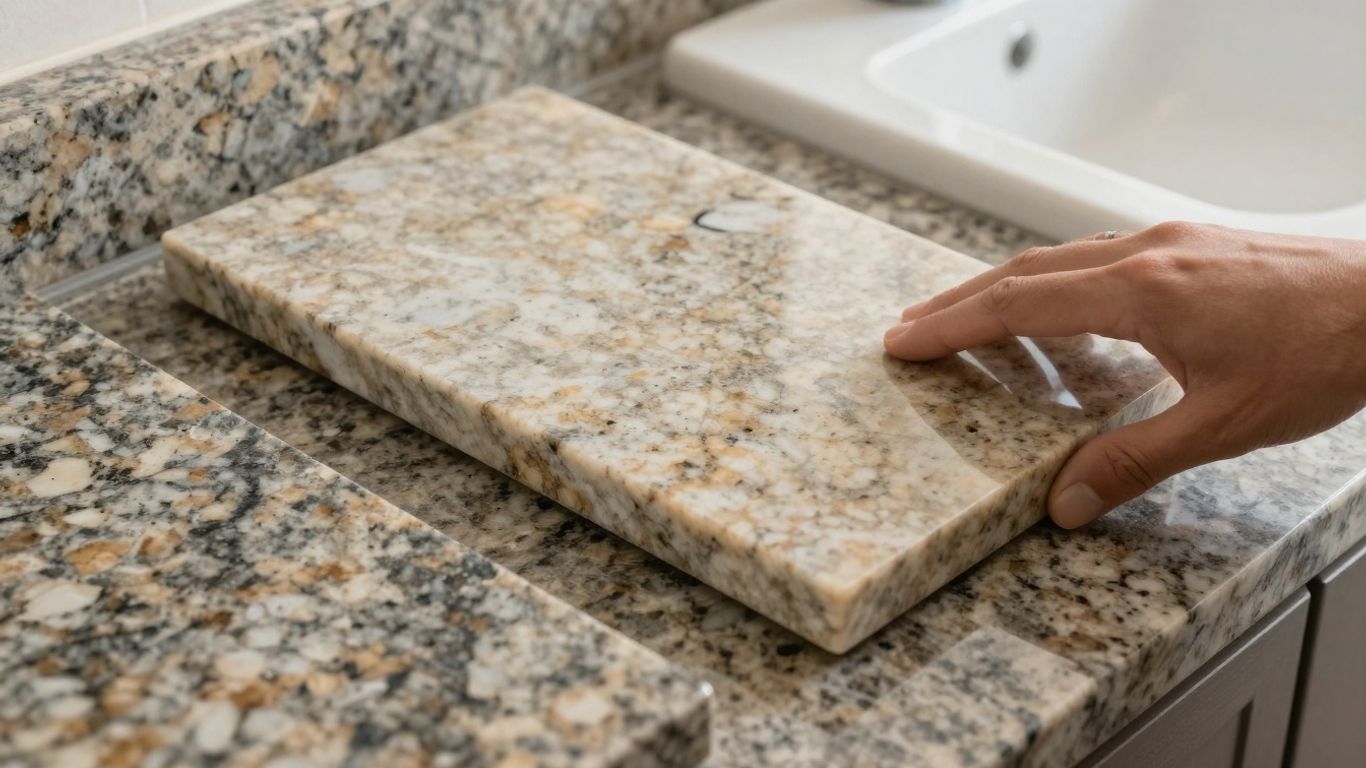
- Granite Countertops: Classic choice, natural beauty, and heat resistance.
- Marble Countertops: Elegant, luxurious, but requires more care.
- Other Materials: Including solid surface, laminate, and concrete.
Controlling Your Portfolio to Attract Your Ideal Projects
Your project photos are your billboard. What kind of projects are you showing? If you want more high-end kitchen remodels, make sure your portfolio is packed with those. If you're trying to get more bathroom vanity jobs, show off your best bathroom work. Houzz lets you organize your projects, so you can feature the types of work that bring you the most joy and profit. Be picky about what you upload. Each photo is a silent salesperson, and you want them selling the jobs you actually want to do. Think about the clients you want to attract and curate your photos to match. This is how you start finding new clients and build a strong online presence. Connect with your local neighborhood and let them see your best work.
Your Houzz portfolio isn't just a gallery; it's a targeted marketing tool. Every project you showcase should be a deliberate choice, aimed at attracting the specific type of homeowner and job you want to secure. If you're dreaming of large-scale kitchen renovations, fill your profile with stunning examples of your kitchen work. Conversely, if smaller bathroom projects are your focus, ensure those shine. This strategic curation guides potential clients to understand your capabilities and aligns their needs with your services, making the inquiry process more efficient for everyone involved.
Integrating Paid Houzz Campaigns With Your Lead Generation Strategy
So, you've got your Houzz profile looking sharp, with great photos and glowing reviews. That's awesome! But if you're serious about turning Houzz into a consistent lead-generating machine, you've got to think about paid campaigns. It’s not just about waiting for people to find you; it’s about actively putting your business in front of homeowners who are ready to start a project. Think of it like this: your optimized profile is your storefront, but paid ads are the billboards and flyers that bring people through the door.
Understanding the Houzz Pro+ Platform for Countertop Companies
Houzz Pro+ is basically Houzz's toolkit for businesses like yours. It's designed to give you more control and visibility. For countertop companies, this means tools that can help you connect with potential clients more directly. You can get features like advanced analytics, better placement in search results, and even tools to manage your projects and client communication. It’s not just about running ads; it’s about having a more robust system to handle the leads that come in. The platform aims to streamline how you find, connect with, and manage clients, all within the Houzz ecosystem.
Budgeting and Bidding Tips for Houzz Paid Campaigns
Figuring out how much to spend and how to bid can feel a bit like guesswork at first. But there are some smart ways to approach it. Start by looking at what you can realistically afford. Don't blow your whole marketing budget on one campaign. Instead, try a smaller, focused campaign to see how it performs. Houzz often uses a bidding system where you decide how much you're willing to pay for a click or an impression. It’s a good idea to start with a bid that’s competitive but not so high that you’re losing money on every lead. Pay attention to what your competitors might be doing, but don't just copy them. Your goal is to get the most qualified leads for your money.
Here are a few things to keep in mind when setting your budget and bids:
- Start Small and Scale: Begin with a modest daily or monthly budget. See what kind of results you get before increasing your spend.
- Focus on Your Best Services: If you do amazing work with quartz, target keywords and campaigns related to that. Don't try to be everything to everyone right away.
- Monitor Competitor Activity: Keep an eye on what other local countertop businesses are doing on Houzz. This can give you clues about pricing and popular keywords.
- Understand Your Lead Cost: Know how much you can afford to spend to acquire a new lead and still make a profit when that lead turns into a job.
Tracking Campaign Performance and Lead Quality From Houzz
Running ads is only half the battle. You absolutely have to track what's working and what's not. Houzz Pro+ gives you analytics, but you need to know what to look for. Are people clicking on your ads? Are they filling out your contact forms? More importantly, are those inquiries turning into actual consultations and, eventually, booked jobs? It’s easy to get caught up in vanity metrics like clicks, but the real win is the quality of the leads. A high number of inquiries means nothing if none of them are a good fit for your business or ready to commit.
You need to connect the dots between your Houzz ad spend and the actual revenue generated. This means having a system to tag leads that came from Houzz and then following them through your sales process. If you're not tracking this, you're essentially flying blind and might be wasting money on campaigns that aren't bringing in profitable business.
Here’s a simple way to think about tracking:
- Identify Houzz Leads: Make sure your team knows to tag every inquiry that comes through Houzz, especially those from paid campaigns.
- Follow Up Promptly: The faster you respond, the better your chances. Have a quick follow-up process in place.
- Measure Conversion: Track how many Houzz leads become consultations, how many consultations become quotes, and how many quotes become signed contracts.
- Calculate ROI: Compare the cost of your Houzz campaigns to the revenue generated from those leads to see if it's worth it.
Optimizing Your Countertop Houzz Profile for Better SEO and Local Ranking
So, you've got a Houzz profile, which is great. But is it actually helping people find you when they search online? Just having a profile isn't enough; you need to make sure search engines, and more importantly, homeowners looking for countertops, can find you easily. This section is all about making your Houzz profile work harder for you in search results, both on Houzz itself and on general search engines like Google.
Keyword Placement: Countertop Houzz Profile Lead Gen Best Practices
Think about what words people actually type into search bars when they need new countertops. Are they looking for "kitchen remodels," "granite installers," or maybe "quartz countertop prices"? You need to sprinkle these terms naturally throughout your profile. This includes your business description, your project titles, and even the descriptions of your individual projects. Don't just stuff keywords in; make sure they fit the context and sound like a real person wrote them.
Here's a quick way to think about it:
- What services do you offer? (e.g., granite fabrication, marble installation, quartz countertops)
- What areas do you serve? (e.g., "serving the greater Denver area," "local countertop company in Austin")
- What problems do you solve for homeowners? (e.g., "affordable kitchen countertops," "durable bathroom vanities")
NAP Consistency and Citation Management in Houzz
NAP stands for Name, Address, and Phone number. It sounds simple, but keeping this information exactly the same everywhere online is a big deal for local search. If your Houzz profile says "123 Main St" but your Google Business Profile says "123 Main Street," search engines get confused. This can hurt your ranking.
Make sure your Houzz profile has:
- Your business name spelled identically to other listings.
- Your physical address formatted the same way everywhere.
- Your phone number with the same area code and digits.
This consistency tells search engines you're a legitimate, stable business.
Building Authority With Unique Project Descriptions
When you upload photos of your work, don't just give them generic titles like "Kitchen Project." Instead, write descriptions that tell a story and include relevant keywords. For example, "Stunning White Quartz Waterfall Island for a Modern Kitchen Remodel in Scottsdale." This tells Houzz users (and search engines) exactly what the project is about.
Think about:
- The type of material used (e.g., marble, granite, quartz, butcher block).
- The style of the kitchen or bathroom (e.g., modern, farmhouse, traditional).
- Any special features (e.g., island, backsplash, vanity).
- The location or neighborhood if it's a well-known area.
Writing detailed, unique descriptions for each project is like giving search engines a clear roadmap to your best work. It helps them understand what you do and show your profile to the right people.
By focusing on these details, you're not just filling out a profile; you're actively working to get found by homeowners who are ready to buy.
Turning Houzz Inquiries Into Booked Countertop Jobs
So, you've got leads coming in from Houzz. That's great! But getting an inquiry is just the first step. The real win is turning that message into a signed contract for a new countertop project. It’s not always as simple as it looks, and honestly, sometimes it feels like a bit of a puzzle. You need a solid plan to make sure those potential clients don't just disappear into the ether.
Responding Fast With the Right Follow-Up Sequences
When someone reaches out on Houzz, they're usually in the research phase and might be looking at a few different companies. The faster you respond, the better your chances of being the one they choose. A quick reply shows you're attentive and serious about their business. Don't just send a generic "Thanks for your message!" You need to ask questions that get the ball rolling.
Here’s a basic follow-up flow:
- Initial Contact (Within 24 Hours): Acknowledge their inquiry. Ask for basic project details like the type of room (kitchen, bathroom), approximate size, preferred material (if they know), and their general location. Mention you're happy to schedule a free consultation.
- Second Contact (If No Reply, 2-3 Days Later): Send a brief follow-up. Maybe include a link to a popular project in your Houzz portfolio or a quick tip about choosing countertops. Keep it light and helpful.
- Third Contact (If Still No Reply, 5-7 Days Later): A final check-in. You could offer a specific incentive, like a small discount on a consultation or a free edge upgrade if they book within a certain timeframe. After this, it's usually best to move them to a general nurture list rather than pestering.
Automating Consultations and Discovery Calls
Manually scheduling every single consultation can eat up a ton of time. Think about using tools that let clients book appointments directly onto your calendar. This way, they can pick a time that works for them, and you get a confirmed slot without all the back-and-forth emails. It makes the whole process smoother for everyone involved. You can find various scheduling software options that integrate with your existing systems, making it easier to manage your construction leads.
Using Lead Tracking Tools to Improve Conversion Rates
How do you know if your follow-up is actually working? You need to track it. Using a simple spreadsheet or a more advanced CRM (Customer Relationship Management) system helps you see where each lead is in your sales process. Note when you contacted them, what was discussed, and what the next step is. This kind of organization is key to figuring out what’s working and what’s not. It helps you see which Houzz inquiries are turning into actual jobs and which ones are falling through the cracks. You can then adjust your approach based on that data, making sure you're spending your time on the most promising leads.
The difference between a Houzz inquiry and a booked job often comes down to responsiveness and clear communication. If you make it easy for homeowners to get the information they need and feel confident in your abilities, they're much more likely to move forward with your company. Don't underestimate the power of a prompt, helpful response and a well-organized follow-up system.
Analyzing Houzz Analytics to Refine Your Profile and Ad Strategy
So, you've put in the work to get your Houzz profile looking sharp and you're running some ads. That's great! But how do you know if it's actually working? That's where Houzz analytics comes in. It’s not just about looking at numbers; it’s about understanding what those numbers mean for your countertop business and how you can use that info to get more actual leads.
Interpreting Engagement Metrics to Adjust Your Portfolio
When you look at your Houzz profile, you'll see a bunch of stats. Things like profile views, photo saves, and contact requests. These tell you how people are interacting with your work. If a certain type of project, say, a modern kitchen with a waterfall island, gets a ton of saves but no inquiries, maybe the photos are great, but the description isn't clear about what you offer or the price point. Or maybe people love looking but aren't ready to buy yet. You can also see which of your projects are getting the most attention. Focus on showcasing more of what's already popular.
Here's a quick look at what some common metrics might suggest:
- High Profile Views, Low Contact Requests: People are finding you, but not reaching out. Maybe your call to action isn't strong enough, or your contact info is hard to find.
- Lots of Photo Saves for a Specific Style: This tells you what homeowners like. Consider creating more projects in that style or highlighting it more prominently.
- Low Engagement Across the Board: Your profile might not be showing up in searches, or the content isn't grabbing attention. Time to rethink keywords and photos.
Measuring Lead Conversion Rates From Houzz Traffic
Getting views and saves is one thing, but turning those into actual jobs is the goal. You need to track where your leads are coming from. If someone contacts you through Houzz, make sure you note that down. Then, track that lead through your sales process. How many Houzz leads turn into consultations? How many consultations turn into signed contracts? This is your conversion rate. It's a really important number.
Let's say you get 100 inquiries from Houzz in a month. If only 10 of those turn into booked jobs, your conversion rate is 10%. If another platform gives you 50 inquiries and 15 turn into jobs, that platform might be more effective for you, even with fewer raw leads. You need to know these numbers to decide where to put your marketing time and money.
A/B Testing Your Profile Elements for Higher Lead Volume
Think of A/B testing like trying out two different headlines for an ad to see which one gets more clicks. On Houzz, you can do something similar with your profile. You could try changing your main profile picture for a week and see if it gets more views. Or, you could test two different descriptions for the same project to see which one gets more saves or inquiries.
Here’s a simple way to approach it:
- Identify one element to test: This could be your profile headline, a specific project description, or even the order of your photos.
- Make a change: Swap out the old element for a new one.
- Run the test: Let it run for a set period, like two weeks, and track the results.
- Analyze the data: See which version performed better based on your key metrics (views, saves, inquiries).
- Implement the winner: Keep the version that brought in more engagement or leads.
You don't need to be a data scientist to use Houzz analytics. Start with the basics: what's getting seen, what's getting saved, and what's leading to actual conversations. Small, consistent adjustments based on what the numbers tell you can make a big difference in the quality and quantity of leads you get from the platform. It’s about working smarter, not just harder, to grow your countertop business.
By regularly checking your Houzz analytics and making smart adjustments, you're not just maintaining a profile; you're actively shaping it into a powerful lead-generating machine for your countertop company.
Want to make your Houzz profile and ads work better for you? Dive into your Houzz analytics! Understanding these numbers can show you what's clicking with customers and where you can improve. It's like having a secret map to attract more clients and boost your business. Ready to unlock your Houzz potential? Visit our website today to learn how to make your Houzz presence shine!
Putting It All Together
So, we've talked about making your Houzz profile really work for you. It’s not just about putting up a few pictures and hoping for the best. Think of it like setting up your showroom online. When you fill out all the details, add good photos, and get those reviews coming in, you’re basically making it easier for people looking for countertops to find you. It takes a bit of effort, sure, but when you start seeing those leads roll in from people who already know what you do and like what they see, you’ll know it was worth it. Keep tweaking it, keep adding new projects, and watch those calls start coming.
Frequently Asked Questions
What's the big deal about having a Houzz profile for my countertop business?
Think of Houzz as a giant online showroom where people go to find ideas and pros for their home projects. If your profile is set up right, it's like having a salesperson working for you 24/7, showing off your best work and attracting homeowners who are ready to buy.
How can I make my Houzz profile bring in more customers?
You need to show off your best projects with great pictures, get happy customers to leave reviews, and make sure all your business info is clear and easy to find. It's all about making your profile look professional and trustworthy so people want to hire you.
Is it worth paying for ads on Houzz?
Yes, Houzz Pro+ ads can really help. They put your business in front of more people who are actively looking for countertops. It's like getting a prime spot in the showroom, making it easier for potential customers to see you first.
How do I make sure the right kind of customers find my profile?
You can tell Houzz which areas you serve and highlight what makes your business special, like if you're amazing with granite or marble. This helps attract homeowners who are looking for exactly what you offer.
What should I do when someone contacts me through Houzz?
You need to respond quickly! The faster you get back to them and start a conversation, the better your chances are of turning that interest into a booked job. Have a plan for how you'll follow up.
How do I know if my Houzz profile is actually working?
Houzz gives you tools to see how many people are looking at your profile and contacting you. By checking these numbers, you can figure out what's working well and what you could do better to get even more leads.