Stop Paying for 'How to Clean Blinds': The Negative Keyword List

So, you're running ads for your window covering business, and you're seeing a lot of clicks that just aren't turning into customers. Sound familiar? Maybe you're paying for people searching 'how to clean blinds' or 'DIY window treatments.' That's money down the drain. We need to talk about the power of a good window covering negative keyword list. It's not just about what you bid on; it's about what you *don't* bid on. Let's get your ad spend working smarter, not harder.
Key Takeaways
- Stop wasting money on clicks from people looking for DIY instructions or free information instead of hiring a service.
- A well-defined window covering negative keyword list prevents your ads from showing to the wrong audience, saving you cash.
- Think about who your ideal customer is and build your negative keyword list to exclude everyone else.
- Regularly check your search query reports to find new terms you need to add to your negative list.
- Tailor your negative keywords for different ad platforms and campaign types, like Google Search versus Meta audiences.
Understanding The Value Of A Window Covering Negative Keyword List
Why Free 'How-To' Content Doesn't Drive Leads
So, you're in the business of selling and installing window coverings, right? You want people who are ready to buy, not people who just want to figure out how to clean their dusty blinds themselves. When someone searches for "how to clean blinds," they're not looking to hire a professional; they're looking for a DIY solution. This kind of search term, while related to blinds, doesn't bring in customers who will actually spend money with you. It's like advertising a fancy restaurant to someone who just wants to know how to boil an egg. They're in the same kitchen, sure, but their needs are miles apart. Focusing your ad spend on these kinds of searches is like throwing money out the window, literally.
The Cost of Irrelevant Clicks
Every click on your ad costs money, whether it comes from someone ready to buy custom shutters or someone trying to fix a broken blind cord. If your ads show up for searches that have nothing to do with purchasing your services, you're paying for clicks that won't turn into business. Imagine getting 100 clicks, but only 2 of them are from potential customers. That's 98 clicks you paid for that didn't get you anywhere. This is where a negative keyword list comes in. It acts as a filter, stopping your ads from appearing for searches you don't want. A well-maintained list, like one that gets a regular Google Search Ads audit, is key to keeping your budget from being wasted.
Defining Your Ideal Customer Profile
Before you can even think about negative keywords, you need to know who you're trying to reach. Who is your perfect customer? Are they homeowners looking for high-end plantation shutters? Are they renters needing affordable roller shades? Maybe they're businesses looking for commercial blinds. Once you have a clear picture of your ideal customer, you can start to figure out what they actually search for when they're ready to buy. This profile helps you build a positive keyword list that attracts the right people and a negative keyword list that keeps the wrong ones away. It's all about attracting people who are ready to invest in new window treatments, not just learn about them.
Building a strong negative keyword list isn't just about blocking bad searches; it's about making sure your ads are seen by the people most likely to become paying clients. It's a proactive way to manage your advertising budget and improve your chances of getting actual business.
Building Your Core Window Covering Negative Keyword List
So, you've got your ad campaigns set up, ready to catch folks looking for new blinds or shades. But wait a minute, are you sure you're catching the right people? Without a solid negative keyword list, you might be spending money on clicks from folks who just want to figure out how to clean their dusty blinds themselves. That's not a lead, that's a DIYer. Let's build a foundation to stop that.
Excluding DIY and 'How-To' Searches
This is probably the biggest leak in your ad spend bucket. People searching for "how to clean blinds," "DIY window treatments," or "repairing shades" aren't looking to buy. They're looking for instructions. You need to actively tell search engines not to show your ads for these kinds of searches. Think about it: would you pay for someone to click your ad because they want to learn how to fix a broken slat? Probably not.
Here are some common terms to get you started:
- how to clean blinds
- DIY shades
- repair window coverings
- make your own curtains
- best way to dust blinds
- fix broken blind cord
- installing window treatments yourself
The goal here is to filter out anyone who isn't ready or willing to purchase a new window covering.
Filtering Out Competitor Brand Names
Unless you're running a specific promotion or have a partnership, you generally don't want your ads showing up when someone types in a competitor's brand name. If someone searches for "Hunter Douglas blinds," they likely want Hunter Douglas blinds, not yours. Showing them your ad might just be a waste of money. It's better to save that ad spend for people actively searching for the type of product you offer. You can find a curated list of negative keywords to help prevent budget waste across many local service categories.
Consider adding these types of terms:
- [Competitor Brand Name] blinds
- [Competitor Brand Name] shades
- [Competitor Brand Name] reviews
- [Competitor Brand Name] vs [Your Brand Name]
Removing Non-Service Related Terms
Sometimes, a word can have multiple meanings. For example, someone might search for "vertical blinds" because they're looking for a type of dog (a
Advanced Negative Keywords For Specific Services
Okay, so we've talked about the general stuff, but what happens when you offer more than just one type of window covering? You can't just lump everything together. Think about it: someone searching for "how to fix roller blinds" isn't looking to buy new ones, right? They're probably trying to patch up what they already have. We need to get smarter about this.
Tailoring Negatives for Blinds vs. Shades
Blinds and shades, while both window treatments, have different search patterns. People looking for "venetian blinds repair" are in a different mindset than someone searching for "motorized cellular shades cost." You need to account for these differences. If you sell new blinds but don't do repairs, you'll want to add terms like:
- repair
- fix
- broken
- parts
- DIY blinds
On the flip side, if you specialize in custom shades and don't deal with basic blinds, you might exclude terms like:
- cheap blinds
- plastic blinds
- mini blinds
It's about matching the searcher's intent to what you actually offer. This helps stop those wasted clicks from people who just want to tinker with what they own.
Excluding Specific Materials or Features
Sometimes, even within a category like "blinds," you might not offer certain types. Maybe you focus on wood and faux wood, but not aluminum. Or perhaps you offer blackout shades but not light-filtering ones. Your negative keyword list should reflect this.
For example, if you don't sell aluminum blinds, add:
- aluminum
- metal blinds
If you only do blackout shades, consider adding:
- light filtering
- sheer shades
- privacy shades (if you only do blackout)
This level of detail stops you from paying for clicks from people who have a very specific material or feature in mind that you just don't carry. It's about refining your PPC advertising to attract the right kind of buyer.
Filtering Out Geographic Areas You Don't Serve
This one's pretty straightforward but super important. If you only service a certain town or county, you absolutely need to exclude areas you don't cover. It sounds obvious, but you'd be surprised how many people miss this. You don't want to pay for clicks from someone in a different state who's looking for local installation.
Add negative keywords for:
- Cities or towns outside your service area
- States or provinces you don't cover
- Even specific zip codes if you need to be that precise
You might think, 'Why would someone search for blinds in a city I don't serve?' Well, search engines sometimes show results based on broader terms, and people might not always be paying attention to the location of the business they click on. Being explicit with your negatives prevents this.
By getting specific with your negative keywords based on the exact services and products you offer, and the areas you cover, you're making your ad spend work a lot harder for you. It's like putting up a sign that says, "We do THIS, and we DON'T do THAT," right in front of the people who are searching.
Leveraging Search Query Reports For Refinement
So, you've put together a list of negative keywords. That's a great start, but honestly, it's just the beginning. The real magic happens when you start looking at what people are actually typing into Google to find services like yours. That's where Search Query Reports (SQRs) come in. They're like a backstage pass to your ad campaigns, showing you the exact phrases that triggered your ads.
Identifying Unexpected Search Terms
This is where you find the surprises. You might think you know what people are searching for, but SQRs often reveal terms you'd never have considered. Maybe people are searching for "how to fix a broken blind slat" or "cheap blinds for a rental property." These aren't people looking to buy new blinds; they're looking for quick fixes or budget options you don't offer. Spotting these terms is key to preventing wasted ad spend.
Here are some common types of unexpected terms you might find:
- DIY repair queries (e.g., "repairing venetian blind cords")
- Specific product part searches (e.g., "replacement blind wands")
- Competitor brand names you forgot to exclude
- Terms related to cleaning or maintenance (e.g., "how to clean dusty blinds")
- Searches for different window treatments (e.g., "curtains vs blinds")
Continuously Updating Your Negative List
Think of your negative keyword list not as a one-and-done task, but as a living document. The search landscape changes, and so do people's needs and how they express them online. Regularly reviewing your SQRs, maybe weekly or bi-weekly depending on your ad spend, allows you to catch new irrelevant terms before they drain your budget.
Here's a simple process:
- Pull the Report: Access the Search Query Report in your ad platform (like Google Ads).
- Filter and Review: Look for terms that don't align with your business goals or the services you offer.
- Add to Negatives: Add these irrelevant terms to your negative keyword list.
- Categorize (Optional but Recommended): Group negatives by type (e.g., DIY, competitor, cleaning) for better organization.
The goal isn't just to block bad searches, but to refine your targeting so your ads show up for the right people. It's about making your ad money work smarter, not just harder.
Analyzing Performance Data for Insights
Beyond just finding new negative keywords, SQRs offer other insights. You can see which relevant search terms are actually driving clicks and conversions. This helps you understand what's working and where to potentially increase bids or budget. You might discover that a specific long-tail keyword, one you hadn't even thought to target directly, is bringing in high-quality leads. Conversely, you might see that a broad term you thought would be great is actually bringing in a lot of clicks but zero sales. This data helps you make smarter decisions about your entire campaign, not just your negatives.
Platform-Specific Negative Keyword Strategies
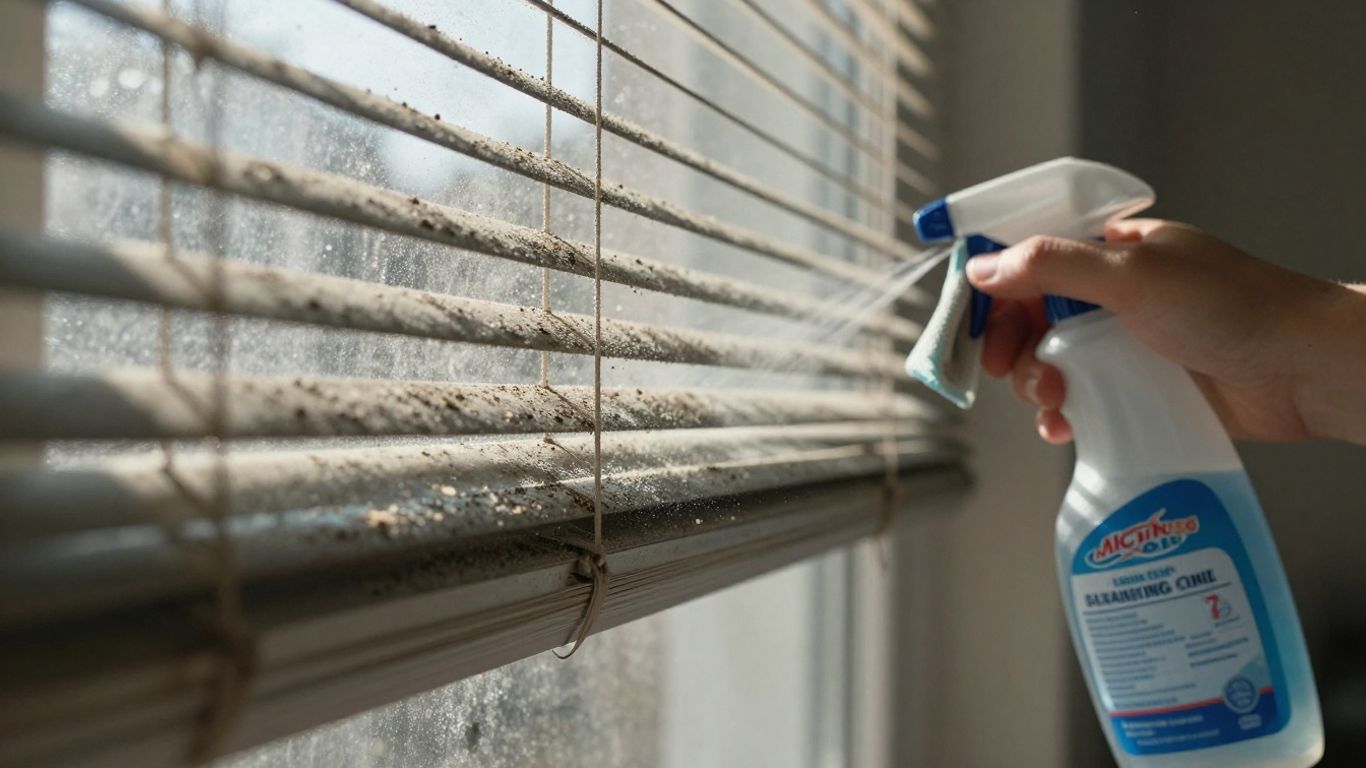
Okay, so we've talked a lot about negative keywords in general, but the truth is, how you use them can change depending on where you're advertising. It’s not a one-size-fits-all deal. What works on Google might not be the best approach for Facebook, and vice-versa. Let's break it down a bit.
Google Ads Search Campaign Negatives
When you're running ads on Google Search, you're directly targeting what people are typing into the search bar. This is where your negative keyword list really shines. You want to catch all those searches that sound like they might be relevant but aren't actually looking for what you sell. Think about terms like 'repair,' 'DIY,' 'how to clean,' or even specific competitor names if you don't want to show up for them. It’s about being super precise. You can also use different match types for your negatives, broad, phrase, and exact, to control how strictly they apply. For instance, if you sell custom blinds but someone searches for 'cheap blinds online,' you might want to add 'cheap' as a negative phrase to avoid those clicks.
Meta Ads Audience Exclusions
Facebook and Instagram ads (Meta Ads) work a bit differently. Instead of keywords, you're mostly targeting based on demographics, interests, and behaviors. So, instead of a negative keyword list, you're building negative audience exclusions. If you sell high-end custom window treatments, you probably don't want to show your ads to people who have shown interest in discount home goods or are looking for free printables. You can exclude certain interests, behaviors, or even custom audiences of people who have already visited your site but didn't convert. It's about refining who sees your ads so you're not wasting money on people who aren't a good fit.
Optimizing For Performance Max Campaigns
Performance Max (PMax) campaigns are Google's all-in-one solution, and they can be a bit of a black box. While they use automation to find customers across all of Google's channels, you still have some control, especially with negative keywords. You can add a negative keyword list to your PMax campaigns to prevent them from showing up for irrelevant searches. This is super important because PMax can sometimes go broad if you don't guide it. Adding a solid list of negatives here helps keep the automation focused on the right audience. It's also a good idea to keep an eye on the search terms report within PMax (if available) to see what's triggering your ads and add new negatives as needed. This helps you master negative keyword analysis with step-by-step methods [0079].
Remember, each platform has its own way of handling what you don't want to show up for. Taking the time to understand these differences and apply the right strategy for each will save you a ton of money and bring in better leads.
The Impact Of A Well-Crafted Negative Keyword List
So, you've put in the work to build a solid list of negative keywords. What's the payoff? It's pretty significant, honestly. Think of it like this: you're not just stopping wasted ad spend; you're actively steering your advertising towards people who actually want to buy window coverings, not just learn how to fix them.
Improving Ad Spend Efficiency
This is probably the most immediate benefit. When your ads stop showing up for searches like "how to clean blinds" or "DIY shade repair," your budget isn't getting chipped away by folks who will never become customers. It's like putting a filter on your marketing so only the right people see your ads. Over time, this adds up.
Let's look at a hypothetical example:
| Metric | Before Negative Keywords | After Negative Keywords | Change |
|---|---|---|---|
| Total Spend | $1,000 | $750 | -25% |
| Clicks | 500 | 300 | -40% |
| Conversions | 5 | 6 | +20% |
| Cost Per Conversion | $200 | $125 | -37.5% |
See? Less money spent, fewer clicks overall, but more actual conversions. That's efficiency.
Increasing Lead Quality
Beyond just saving money, a good negative keyword list means the leads you do get are much more likely to be serious buyers. When someone searches for "buy custom shutters" or "install roman shades," they're usually further down the buying path than someone looking for a cleaning tutorial. Your ads are reaching these more qualified searchers, meaning your sales team spends less time on tire-kickers and more time talking to potential customers.
Here’s what that looks like in practice:
- Fewer unqualified inquiries: Your inbox won't be flooded with questions about DIY projects.
- Higher conversion rates from leads: The people who contact you are genuinely interested in purchasing.
- Better use of sales team time: Your reps can focus on closing deals instead of educating potential customers.
The goal isn't just to get any click; it's to get the right click. A well-maintained negative keyword list is your primary tool for achieving this, ensuring your advertising budget works smarter, not just harder.
Boosting Overall Campaign ROI
Ultimately, all of this points to a better return on your investment. When you spend less on irrelevant clicks and attract higher-quality leads who are more likely to buy, your advertising campaigns become significantly more profitable. It's a direct line from smart keyword management to a healthier bottom line. You're not just running ads; you're running a more effective marketing engine.
A good list of negative keywords can really make a difference in your online ads. It stops your ads from showing up for searches that aren't a good fit, saving you money and bringing in more of the right customers. Want to learn how to build a killer list that boosts your ad performance? Visit our website today to get started!
So, What's the Takeaway?
Look, spending money on ads that bring in people just looking for DIY tips on cleaning their blinds? That's just throwing cash away. By taking a little time to build out a solid negative keyword list, you're telling Google exactly who you don't want to show your ads to. This means your ad spend actually goes towards reaching folks who are ready to buy your window treatments, not just find a free cleaning guide. It’s not rocket science, but it’s the kind of smart, simple step that makes a real difference in your ad results. Get that list built, keep it updated, and watch your ad budget work harder for you.
Frequently Asked Questions
What exactly are negative keywords, and why should I care about them for my window covering business?
Think of negative keywords as the 'no thanks' list for your online ads. They tell ad platforms like Google or Facebook not to show your ads to people searching for things you don't offer. For instance, if you sell and install blinds, you don't want your ad popping up when someone types 'how to clean blinds' or 'DIY blind repair.' Using negative keywords stops your ads from being shown to people who aren't likely to become customers, saving you money and showing your ads to the right folks.
Why is it bad if people who search for 'how to clean blinds' see my ads?
When someone searches for 'how to clean blinds,' they're usually looking for instructions or tips on doing it themselves. They aren't looking to buy new blinds or hire someone to install them. Showing your ad to these people is like trying to sell a new car to someone who just wants to know how to change their oil. It wastes your ad money because they're not going to click and buy from you, and it lowers your ad's performance score.
How can I figure out what negative keywords to use for my window covering business?
A great way to find negative keywords is to look at your 'Search Query Report' in Google Ads. This report shows you the exact phrases people typed into Google that triggered your ads. You'll often find surprising terms that don't match what you sell. Also, think about common searches that are related but not what you offer, like 'repair,' 'parts,' 'free,' or specific competitor names if you don't want to target their customers directly.
Should I use the same negative keywords for selling blinds and selling shades?
Not always! While some negatives overlap, it's smart to get specific. If you offer custom shutters but not ready-made ones, you'd add 'ready-made' or 'off-the-shelf' as negatives. If you install high-end Roman shades but don't do simple roller shades, you'd exclude terms related to the latter. Tailoring your negatives helps ensure your ads reach people interested in the specific window coverings you actually provide.
I only serve customers in a specific city. How do I use negative keywords for that?
You can use location targeting to show your ads only in the areas you serve. But you can also use negative keywords to exclude nearby towns or regions you don't want to advertise in. For example, if you serve Springfield, but there are multiple Springfields in your state or nearby, you'd add the names of the other Springfields as negative keywords to avoid wasted ad spend on people outside your service area.
How often should I check and update my list of negative keywords?
You should check your negative keyword list regularly, ideally every week or two, especially when you're starting out or running a new campaign. As you get more data from your ads, you'll discover new irrelevant searches. It's an ongoing process. Think of it like tending a garden: you need to keep weeding out the unwanted stuff to help the good stuff (your potential customers) grow!