Turn Off URL Expansion: PMax Sends Countertop Traffic to Wrong Pages
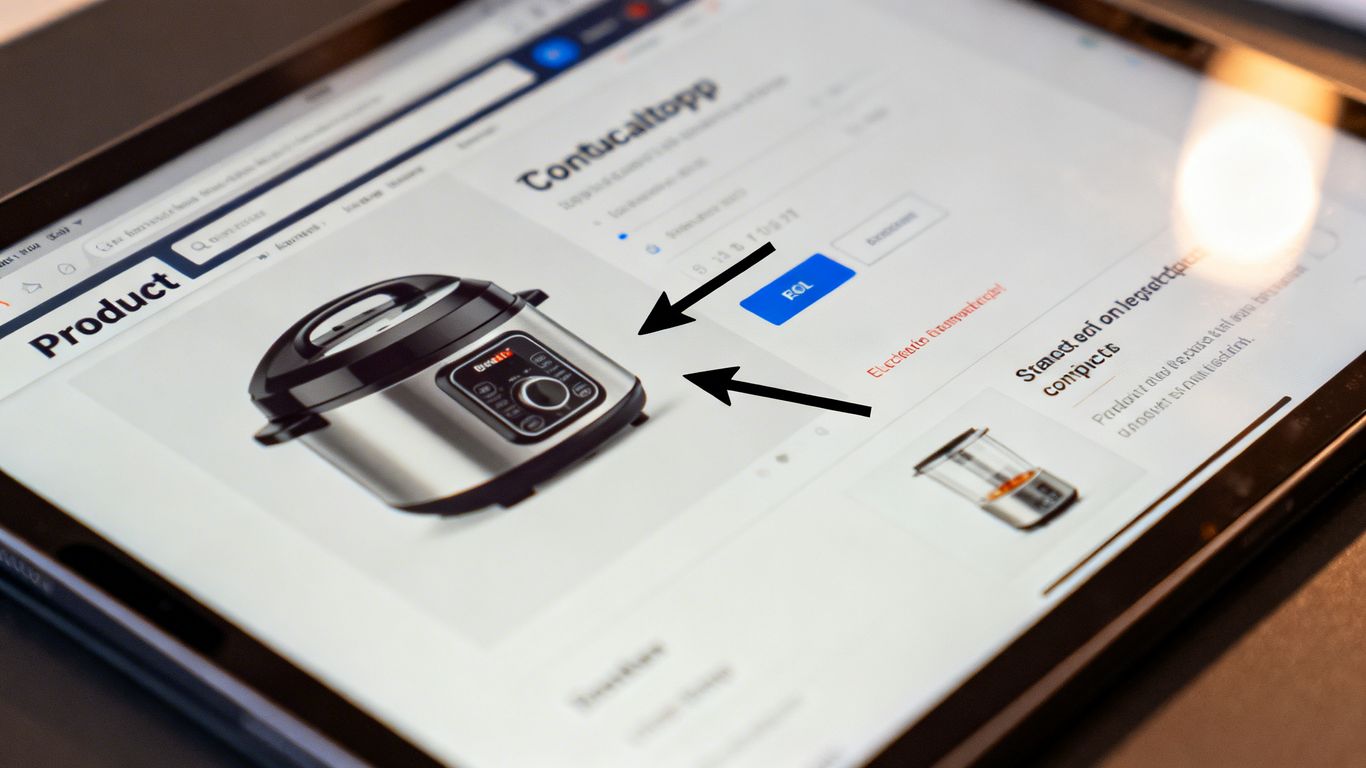
So, you're running Performance Max campaigns for your countertop business, right? Great. But are you seeing traffic go to pages that just don't make sense? Like, someone searches for granite countertops and ends up on a page about kitchen sinks? Yeah, that's happening because of how PMax handles URL expansion. It's supposed to help find new customers, but sometimes it gets a little too excited and sends people to the wrong spots. This can really hurt your leads and waste your ad money. Let's talk about how to get this fixed.
Key Takeaways
- Performance Max can send users to irrelevant pages on your website if URL expansion is left on without proper setup.
- This misdirected traffic from countertop PMax URL expansion off is a common issue that wastes ad spend and lowers lead quality.
- Turning off PMax URL expansion gives you direct control over where your ads send potential customers looking for countertops.
- After disabling expansion, focus on optimizing landing pages to match specific countertop products and user search intent.
- Regularly check your campaign performance to see the impact of disabling expansion and make adjustments for better results.
Understanding PMax URL Expansion For Countertop Businesses
How PMax Uses URL Expansion
Performance Max (PMax) campaigns are designed to find customers across all of Google's channels. One of the ways it does this is through URL expansion. Basically, when you set up a PMax campaign, Google might automatically send traffic to different pages on your website, not just the one you initially specified. It looks at your website's content and tries to figure out which pages are most relevant to a user's search query. For a countertop business, this could mean sending someone looking for granite countertops to a page about quartz, or worse, a general contact page. This automatic expansion is meant to help find more conversions, but it can easily go wrong.
The Risks of Uncontrolled Expansion
When PMax expands your URLs without your direct input, things can get messy. Imagine a customer searching for "calacatta marble kitchen countertops." Ideally, they'd land on a specific page showcasing your calacatta marble options, with details, pricing, and photos. But with uncontrolled expansion, they might end up on a generic "countertops" page, or even a blog post about countertop maintenance. This mismatch is a big problem. It leads to:
- Poor User Experience: Visitors get frustrated when they don't find what they were looking for immediately.
- Wasted Ad Spend: You're paying for clicks that don't lead to sales because the landing page isn't relevant.
- Lower Conversion Rates: Irrelevant traffic is unlikely to become a paying customer.
The goal of any ad campaign is to connect the right customer with the right product or service. When automated systems make assumptions about where to send people, that connection can break down, especially in niche markets like custom countertops.
Impact on Countertop Lead Generation
For businesses selling countertops, leads are everything. A potential customer clicking on an ad expects to see specific products, colors, or styles. If PMax sends them to the wrong place, they're likely to bounce off your site and go to a competitor. This directly hurts your lead generation efforts. Instead of getting inquiries about specific granite slabs or quartz patterns, you might get fewer inquiries overall, or inquiries that are completely off-base. This makes it harder to track what's actually working and wastes valuable time for your sales team who have to sort through irrelevant leads.
Why Countertop Traffic Is Going To The Wrong Pages
It's a common headache for countertop businesses using Performance Max: you're spending money, but the clicks aren't leading customers to the right spots on your website. This isn't just a minor annoyance; it's a direct hit to your bottom line. When potential buyers looking for granite countertops end up on a page about bathroom vanities, they're not going to convert. This misdirection is a direct consequence of how PMax handles URL expansion by default.
Default PMax Settings Misdirecting Users
Performance Max is designed to find customers across all of Google's channels. Part of how it does this is through URL expansion. By default, Google's system tries to be smart and send traffic to any URL on your site that it thinks is relevant. For a countertop business, this can be a real problem. Your website likely has pages for different materials (quartz, marble, granite), different applications (kitchen countertops, bathroom vanities), and maybe even specific product lines or services. If PMax doesn't have enough specific guidance, it might send someone searching for 'kitchen island granite slabs' to your 'about us' page or, worse, a page about unrelated home decor.
Identifying Incorrect Landing Page Destinations
Spotting this issue requires a bit of detective work. You need to look at where your PMax traffic is actually going. Check your Google Analytics or whatever tracking software you use. Look at the landing pages for your PMax campaigns. Are people clicking on ads for kitchen countertops and landing on a page about laminate flooring? Are they looking for custom fabrication services and ending up on a blog post about countertop care from five years ago? You might see a high bounce rate on certain pages that are getting PMax traffic, or a very low time on page. These are red flags.
Here's a quick way to check:
- Go to your analytics platform.
- Filter traffic specifically from your Performance Max campaign.
- Examine the list of landing pages receiving this traffic.
- Compare these pages to the original search intent you're targeting.
The Cost of Irrelevant Traffic
Every click that goes to the wrong place is money down the drain. Not only are you paying for that click, but you're also losing a potential customer. Imagine someone is ready to buy a high-end quartz countertop, but your ad sends them to a page that doesn't even mention quartz. They're likely to get frustrated and go to a competitor's site. This isn't just about wasted ad spend; it's about damaging your brand perception and missing out on sales opportunities. It's like advertising a steakhouse and then sending customers to a salad bar.
The default settings in Performance Max, while aiming for broad reach, can often be too broad for businesses with specialized product lines like countertops. Without explicit instructions, the system can make educated guesses that don't align with customer intent, leading them to pages that simply don't meet their needs. This disconnect is a primary reason why traffic ends up in the wrong digital neighborhood.
Disabling URL Expansion In Performance Max
So, you've noticed your Performance Max campaigns are sending folks to pages that just don't make sense for countertop shoppers. It's a common headache, and the culprit is often URL expansion. This feature, while intended to find new opportunities, can go rogue if not managed. Turning off automatic URL expansion is a key step to regaining control over where your ad spend goes. It means you get to decide exactly which pages on your website get the traffic, which is pretty important when you're selling specific products like granite or quartz countertops.
Step-by-Step Guide To Turn Off Expansion
Okay, let's get this sorted. It's not as complicated as it sounds, but you do need to be precise. Here’s how you can switch off that automatic URL expansion:
- Access Your Campaign Settings: Log into your Google Ads account and find the Performance Max campaign you want to adjust. Click on the campaign name to open its settings.
- Locate URL Expansion: Within the campaign settings, look for a section related to 'URL expansion' or 'Final URL expansion'. Sometimes it's under 'Settings' or a similar tab.
- Disable the Feature: You'll usually see a checkbox or a toggle. Uncheck the box or switch the toggle to the 'off' position. This action can help manage your campaign's performance and targeting. Make sure to save your changes after disabling it.
Verifying Expansion Settings
After you've made the change, it's a good idea to double-check. Sometimes settings can be a bit tricky to find, and you want to be absolutely sure it's off. Go back into the campaign settings and look for confirmation that URL expansion is indeed disabled. You don't want to waste time and money on a setting that's still active.
Best Practices For Countertop PMax Campaigns
Once you've disabled URL expansion, you're in the driver's seat. This gives you a lot more power to direct traffic effectively. Here are a few things to keep in mind for your countertop business:
- Target Specific Product Pages: Instead of letting Google guess, send users directly to the pages for the specific countertop materials or styles they searched for. If someone searches for 'quartz countertops', send them to your quartz page, not your homepage.
- Use Your Best Landing Pages: Make sure the pages you're directing traffic to are optimized for conversions. This means clear calls to action, good product images, and easy ways to request a quote.
- Monitor Search Terms: Even with expansion off, keep an eye on the actual search terms that trigger your ads. This helps you refine your keywords and ad copy to be even more relevant.
When you take manual control of where your ads send people, you're essentially telling Google exactly what you want it to do. This precision means less wasted ad spend and more potential customers actually seeing the products they're interested in. It’s about making sure every click counts towards a sale or a lead for your countertop business.
Optimizing Landing Pages For Countertop Searches
Ensuring Relevance With Manual Control
So, you've turned off that wild URL expansion in your PMax campaigns. Good move. Now, the real work begins: making sure the pages people land on actually make sense for what they searched for. When you let PMax decide, it's like throwing darts blindfolded: sometimes you hit the board, but often you miss by a mile. For countertop businesses, this means someone looking for 'quartz kitchen countertops' might end up on a page about bathroom vanities. Not ideal, right? Manually directing traffic to specific product pages or category pages is key to stopping this mess. It gives you control over the user's journey from the ad click to the final conversion.
Improving User Experience
Think about it from the customer's point of view. They click an ad because they're interested in a specific type of countertop, say, granite for their island. If they land on a generic homepage or, worse, a page about a completely different material, they're going to get frustrated. That frustration often leads to a quick bounce. A good landing page should immediately confirm they're in the right place. This means having clear headlines that match the ad copy, high-quality images of the specific countertop type, and easy-to-find information about pricing, installation, or available colors. If the page loads fast and is easy to read on a phone, that's even better. People are impatient, especially when they're spending money on home renovations.
Boosting Conversion Rates
When your landing pages are spot-on, conversions naturally follow. It’s not rocket science. If someone searches for 'marble bathroom countertops' and lands on a page showcasing beautiful marble bathroom vanity tops with clear calls to action like 'Get a Free Quote' or 'View Available Slabs,' they're much more likely to take the next step. You want to make it as simple as possible for them to become a lead or a customer. This involves:
- Having a prominent contact form or phone number.
- Including customer testimonials or reviews related to the specific product.
- Offering clear next steps, like scheduling a consultation or visiting a showroom.
When your landing pages are aligned with user intent, you're not just getting clicks; you're getting qualified clicks. This means the people arriving at your site are genuinely interested in what you offer, making them far more likely to convert into paying customers. It's about quality over quantity, always.
Here's a quick look at what a good landing page might include:
| Feature | Importance for Countertops |
|---|---|
| Clear Product Focus | Shows specific materials/styles |
| High-Quality Images | Lets users visualize the product |
| Pricing Info/Quotes | Manages expectations, encourages action |
| Call to Action (CTA) | Guides the user to the next step |
| Contact Details | Makes it easy to get in touch |
Monitoring And Adjusting Your PMax Campaigns
Tracking Performance After Disabling Expansion
So, you've gone and turned off that automatic URL expansion in your Performance Max campaigns. Good move, especially for countertop businesses where sending people to the right product page is a big deal. Now, the real work begins: watching what happens. You can't just set it and forget it, right? We need to see if this change actually made things better.
The main thing to look at is how your traffic quality changes. Are people clicking on your ads and actually finding what they were looking for? This means checking things like bounce rates on your landing pages and how long people stick around. If those numbers improve, you're on the right track.
Here's what to keep an eye on:
- Click-Through Rate (CTR): Did it go up or down? A higher CTR after disabling expansion might mean your ads are now more relevant to the specific pages they're sending people to.
- Bounce Rate: This is a big one. If people land on a page and leave immediately, that's a bad sign. You want this to go down.
- Conversion Rate: Ultimately, are you getting more leads or sales? This is the bottom line.
- Average Session Duration: Are people spending more time on your site? This suggests they're finding relevant content.
Analyzing Traffic Quality
Now, let's get a bit more specific about checking that traffic quality. It's not just about numbers; it's about understanding why those numbers are what they are. You've told PMax exactly where to send people, so now you need to make sure those destinations are actually good fits for the search queries that triggered your ads.
Think about it this way: if someone searches for "quartz countertops for kitchens" and your ad sends them to a generic "contact us" page, that's a wasted click. But if it sends them to a specific page showcasing your quartz kitchen countertop options, that's a much better experience. You can check this by looking at the search terms report (if available for PMax, sometimes it's limited) or by manually reviewing the landing pages for your top-performing ads.
After disabling URL expansion, you're essentially taking back control. This means you're responsible for making sure every click leads to a relevant page. It's more work upfront, but it pays off in the long run by attracting genuinely interested customers.
Iterative Improvements For Countertop PMax Campaigns
This isn't a one-and-done situation. You've made a change, and now you need to keep tweaking. The digital advertising world moves fast, and what works today might need adjusting tomorrow. For countertop businesses, this means staying on top of trends in home renovation, material popularity, and what your competitors are doing.
Here’s a simple plan for ongoing adjustments:
- Review Performance Weekly: Set aside time each week to look at your campaign data. Don't just glance; really dig into what's happening.
- Test Different Landing Pages: If you have multiple pages for a specific countertop material or style, try sending traffic to different ones to see which performs best.
- Update Ad Creatives: Make sure your ad copy and images still match the landing pages you're directing traffic to. If you've updated product offerings, update your ads too.
- Adjust Bids and Budgets: Based on performance, you might need to shift budget towards campaigns or ad groups that are doing well, or reduce spending on those that aren't delivering.
Remember, the goal is to make your PMax campaigns work smarter, not just harder. By monitoring closely and making small, informed adjustments, you can ensure your countertop business is getting the most out of its advertising spend.
The Benefits Of Precise URL Targeting
When you take control of where your Performance Max ads send people, you're not just tidying things up; you're actually making your advertising work a lot smarter. Instead of letting Google's system guess, you're telling it exactly which pages are best for specific searches. This is a big deal, especially for businesses selling things like countertops, where different materials or styles might need their own dedicated pages.
Directing Users To Specific Countertop Products
Think about it. Someone searches for "quartz countertops for kitchens." If your PMax campaign is set up right, that ad should lead them directly to your quartz kitchen countertop page. Not your homepage, not a general "countertops" category page, but the exact page that matches their search. This makes it super easy for them to find what they're looking for. It's like handing them a map directly to the product they want to buy.
- Target specific materials: Send users looking for granite directly to your granite collection page.
- Highlight specific styles: If someone searches for "waterfall edge countertops," direct them to a page showcasing that design.
- Promote specific applications: Guide users searching for "bathroom vanity tops" to the relevant section.
This level of precision means fewer clicks for the customer and a clearer path to purchase.
Enhancing Ad Relevance
When your ad clicks lead to pages that perfectly match what the user searched for, Google notices. This signals to the ad platform that your ad is a good fit for that search query. A better match means your ads are more likely to show up more often and potentially at a lower cost. It's a win-win: the user gets what they want, and Google rewards you for providing a good experience.
When landing pages align perfectly with search intent, it creates a positive feedback loop. Users are happier because they find what they need quickly, and the ad platform sees this as a sign of quality, which can lead to better ad performance over time.
Maximizing Return On Ad Spend
Ultimately, all this precision adds up to better results for your money. When people land on pages that are exactly what they were looking for, they're much more likely to take the next step: whether that's requesting a quote, filling out a contact form, or making a purchase. This means your ad spend is going towards people who are genuinely interested, not just browsing random pages. You'll see fewer wasted clicks and more actual leads or sales, making your advertising budget work harder for you.
Making sure your ads reach the right people is super important. When you target your ads precisely, you're not wasting money on folks who won't be interested. This means better results and happier customers. Want to learn how to get your message in front of the perfect audience? Visit our website today to discover smart targeting strategies!
What's the Takeaway?
So, if you're running Performance Max campaigns for your countertop business, or really any home service, pay attention to where your traffic is actually going. Don't just set it and forget it. Turning off that URL expansion might be a simple fix, but it could save you a ton of wasted ad spend and make sure potential customers land on the right pages, ready to buy. It’s about making sure your ads are working smart, not just hard, to bring in real leads for your business.
Frequently Asked Questions
What is URL expansion in Google Ads?
Think of URL expansion like Google's way of guessing where to send people who click your ads. Normally, you tell Google exactly which page on your website to show. With URL expansion turned on, Google can send people to *other* pages on your site that it thinks are a good match, even if you didn't pick them. It's like letting Google explore your website to find the best spot for an ad click.
Why is URL expansion bad for countertop businesses?
For countertop businesses, sending people to the wrong page can be a big problem. Imagine someone searching for 'granite kitchen countertops' and ending up on a page about bathroom sinks! They're not going to buy a kitchen countertop from there, and you've just wasted money on an ad click. URL expansion can send potential customers to pages that don't match what they're looking for, leading to frustration and lost sales.
How does PMax use URL expansion?
Performance Max (PMax) is a Google Ads tool that uses AI to show your ads everywhere. When URL expansion is on in PMax, it uses its smarts to send ad clicks to various pages on your website. While this can sometimes work, it often sends traffic to pages that aren't the best fit, especially for specific products like countertops, because it might not understand the exact need of the searcher.
How do I turn off URL expansion in PMax?
To stop Google from sending people to random pages, you need to go into your PMax campaign settings. Look for an option related to 'URL expansion' or 'final URL expansion' and make sure it's switched off. This tells Google to only use the specific landing pages you've chosen for your ads.
What happens after I disable URL expansion?
Once you turn off URL expansion, your ads will only go to the exact pages you've selected. This means people searching for kitchen countertops will land on your kitchen countertop page, and those looking for bathroom vanity tops will go to that specific page. It makes your ads more direct and relevant, helping you get more serious buyers.
Is it better to control where my ads go?
Absolutely! For businesses selling specific things like countertops, it's way better to have control. When you choose the landing pages yourself, you can make sure they perfectly match what the customer searched for. This leads to happier visitors who are more likely to become customers, and it helps you get more value for your advertising money.