Weekly Google Posts for Window Treatment Companies: Templates and Schedule

Hey there, fellow home service pros! If you're in the window treatment business, you know how important it is to get noticed locally. Google Posts can be a real game-changer for that. Think of them as little flyers you can post right on your Google business profile. They show up when people search for things like 'blinds near me' or 'custom shades.' We're going to break down how to use these posts, give you some ready-to-go templates, and set up a simple schedule so you're not staring at a blank screen every week. It's all about making sure potential customers see what you offer, right when they're looking.
Key Takeaways
- Google Posts are a free way to get your business in front of local customers searching for window treatments on Google.
- Use posts to show off new styles, announce sales, and share happy customer stories to build trust.
- A simple weekly schedule, like posting about new products on Monday, deals on Wednesday, and tips on Friday, keeps your profile fresh.
- High-quality photos and clear calls to action in your posts make a big difference in getting people to click.
- Using window treatment google posts templates saves time and ensures you're hitting the right points to attract customers.
Leveraging Google Posts for Window Treatment Success
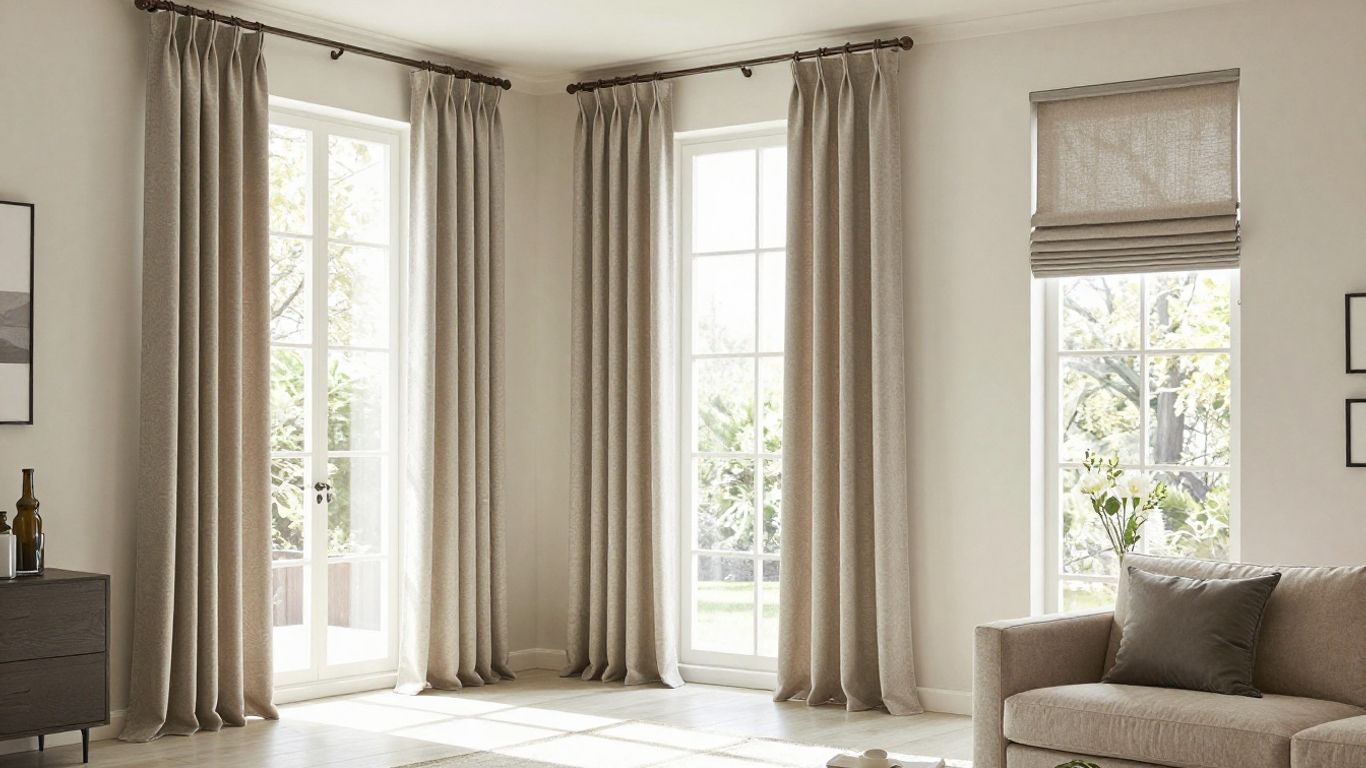
So, you've got a window treatment business, and you're wondering how to get more eyes on what you do. It’s not always easy to stand out, especially with so many other local shops around. That's where Google Posts come in. Think of them as little updates you can share directly on your Google Business Profile. They’re a simple way to connect with people searching for window coverings right in your area.
Understanding the Power of Google Posts for Local Businesses
When someone searches for "blinds near me" or "custom curtains," you want your business to pop up, right? Google Posts help make that happen. They show up right in the search results and on Google Maps, giving potential customers a quick look at what you offer. It’s like having a mini-billboard that appears exactly when someone is looking for your services. This direct connection can really make a difference in getting people to pick up the phone or visit your showroom. It’s a smart way to get noticed by folks who are already interested.
Integrating Google Posts into Your Digital Marketing Strategy
Adding Google Posts to what you're already doing online isn't complicated. If you're running ads, these posts can complement them. For example, if you're using targeted Google Ads campaigns for window covering businesses, a post announcing a new sale can catch people who saw your ad but didn't click. It’s about giving people more reasons to choose you. You can also use them to share updates that might not fit on your main website, like a quick tip or a customer photo. It keeps your profile fresh and shows you're active.
Key Elements of Effective Google Posts for Window Treatments
What makes a good post? It’s not just about throwing something up there. You need to think about what will grab attention. Here are a few things to keep in mind:
- What’s New? Share new products, like the latest smart blinds or energy-efficient shades.
- Deals and Steals: Announce any sales, discounts, or special packages you're running.
- Show Off Your Work: Post pictures of completed projects (with customer permission, of course!).
- Helpful Info: Offer quick tips on cleaning blinds or choosing the right fabric.
A well-crafted Google Post can be the difference between a browser and a buyer. It’s about providing timely, relevant information that answers a customer's immediate need or sparks their interest.
Think about it like this: you wouldn't put up a flyer with just a phone number and no details, would you? Google Posts are similar. They need a bit of personality and information to work. You can find lots of social media post ideas that can be adapted for Google Posts, too. The goal is to make it easy for people to see why they should work with you.
Crafting Compelling Google Posts: Core Themes
So, you've got your Google Business Profile set up, and you're ready to start posting. That's great! But what exactly should you be posting about? It's not just about throwing up any old picture. You want your posts to grab attention and actually get people interested in what you do. Let's look at some core themes that work really well for window treatment companies.
Showcasing Latest Window Treatment Styles and Trends
People often look for new ideas when they're thinking about home improvements. Showing off the newest styles is a fantastic way to catch their eye. Think about what's popular right now. Are we seeing a lot of natural textures? Maybe bold patterns are making a comeback? Highlighting these trends can position you as a go-to expert. It's not just about selling blinds; it's about helping people create beautiful spaces.
- Modern Minimalism: Clean lines, simple fabrics, and neutral colors. Think Roman shades or sleek roller blinds.
- Smart Home Integration: Motorized blinds and shades that can be controlled by voice or app. This is a big one for many homeowners.
- Sustainable Materials: Showing off treatments made from eco-friendly fabrics or reclaimed wood.
Keeping up with what's new and popular helps you connect with customers who are actively looking for updated home decor. It shows you're current and understand their design goals.
Highlighting Seasonal Promotions and Special Offers
Everyone loves a good deal, right? Promotions are a direct way to drive sales. Think about tying your offers to the seasons or holidays. A "Spring Refresh" sale on energy-efficient blinds, or a "Holiday Decor" discount on elegant drapes can really work. You can also run limited-time offers to create a sense of urgency. This is a great way to get people to act now rather than later. Check out these creative post ideas for inspiration.
| Promotion Type | Example Offer | Duration |
|---|---|---|
| Seasonal Sale | 20% off all cellular shades in May | 2 Weeks |
| Holiday Special | Free installation with any shutter purchase | 1 Month |
| Bundle Deal | Buy 3 blinds, get 1 free | Weekend Only |
Emphasizing Customer Testimonials and Success Stories
People trust other people. When potential customers see that real people are happy with your work, it builds a lot of confidence. Don't just say you do good work; show it! Share quotes from happy clients. If you have permission, post a picture of a finished project with a short note from the homeowner. This kind of social proof is incredibly powerful. It makes your business feel more real and relatable. You can find more GMB post ideas that focus on customer satisfaction.
Developing Your Weekly Google Posts Schedule
Okay, so you know why you should be posting on Google, but when? Having a plan makes things way easier. It stops you from staring at a blank screen wondering what to put up. A good schedule means you're consistently showing up for your customers. Think of it like setting a regular time to water your plants: you don't want them to dry out!
Monday: New Arrivals and Design Inspiration
Start the week off right by showing off what's new. Did you get in some cool new blinds or maybe some fresh fabric samples? Monday is the perfect day to share that. People are often looking for a little spark of inspiration at the start of their week, especially if they're thinking about home projects. You could show a picture of a newly installed window treatment in a stylish room, or maybe a mood board with different fabric options. It’s a good way to get people thinking about their own homes and what they might want to change.
Wednesday: Mid-Week Promotion Spotlight
By Wednesday, people are usually hitting that mid-week slump. This is a great time to offer a little pick-me-up with a special deal. Maybe it's 10% off all roller shades for the rest of the week, or a free consultation if they book by Friday. Highlighting a specific offer here can grab attention when people might be browsing online during a lunch break. It gives them a reason to act sooner rather than later. You can easily schedule these posts using your Google Business Profile; just head to your profile in Google Search and click "Add Update." It's a simple process.
Friday: Weekend Project Ideas and Expert Tips
As the weekend approaches, people start thinking about home improvement projects. Use Friday's post to give them ideas. Maybe it's a quick guide on how to measure for new curtains, or tips for choosing the right blinds for a nursery. You could also share a customer success story, like how new shutters completely changed a living room's look and feel. This kind of content is helpful and positions you as the go-to expert. For single-location businesses, posting one to three times weekly is a solid strategy, and this Friday slot fits perfectly into that rhythm.
A consistent posting schedule helps build trust and keeps your business top-of-mind. It shows potential customers that you're active and engaged, not just a static listing. This regular interaction can make a big difference in how people perceive your business.
Essential Google Posts Templates for Window Treatment Companies
Okay, so you know why you should be posting on Google, and you've got some ideas for what to talk about. Now, let's get practical. Having a few go-to templates can make this whole process way less of a headache. It’s like having a recipe ready when you’re hungry: you just need to grab the ingredients and start cooking. These aren't rigid rules, but more like starting points to get your creative juices flowing.
Template for New Product Announcements
This is your chance to shout about what's fresh off the press. Did you get in some cool new blinds or maybe some fancy drapes? Let people know! A great announcement makes customers feel like they're in the know.
- Headline: Catchy and clear, like "New Smart Blinds Just Arrived!" or "Introducing Our Latest Collection of Blackout Curtains."
- Body: Briefly describe the product. What makes it special? Is it energy-efficient, stylish, or super easy to use? Mention a key benefit or two.
- Call to Action: Tell people what to do next. "Visit our showroom today!" or "See the full collection on our website [link to specific product page]."
- Image: Use a high-quality photo of the new product. Make it look good!
Think about what would make you stop scrolling. A clear picture and a simple sentence about why it's cool usually does the trick.
Template for Limited-Time Discount Campaigns
Everyone loves a good deal, right? These posts are perfect for driving immediate interest and sales. You can use these to clear out older stock or just to give your sales a mid-season boost. We've found that offering a percentage off or a specific dollar amount off works well.
- Headline: Make the discount obvious. "Save 20% on All Roman Shades This Week Only!" or "Flash Sale: $50 Off Custom Drapery Orders."
- Body: Clearly state the offer, the duration of the sale, and any important conditions (e.g., minimum purchase, specific product lines).
- Call to Action: Urgency is key here. "Shop now and save!" or "Call us to book your consultation before the sale ends!"
- Image: A graphic that clearly shows the discount or a popular product that's on sale.
Here’s a quick look at how different discount types can perform:
| Discount Type | Typical Engagement | Potential Sales Impact |
|---|---|---|
| Percentage Off | High | Moderate to High |
| Dollar Amount Off | Moderate | Moderate |
| Bundle Deal | Moderate | Moderate |
| Free Installation | High | High |
Template for Service Area Expansions
If you're starting to serve new neighborhoods or towns, you need to tell people! This is a great way to reach new customers who might not have known about you before. It shows you're growing and ready to help more people.
- Headline: Announce your expansion clearly. "Now Serving [New Town/Neighborhood]!" or "Exciting News: We've Expanded Our Service Area!"
- Body: Mention the new areas you're covering. Briefly reiterate what you do: custom window treatments, expert installation, etc. You could even mention a special offer for residents in the new areas.
- Call to Action: Encourage people in the new areas to get in touch. "Get a free quote in [New Town] today!" or "Learn more about our services in your area."
- Image: A map highlighting the new service areas or a photo representing your team serving a customer.
Remember, these templates are just a starting point. Feel free to mix and match elements, and always tailor them to your specific business and what you're promoting. Making your own unique designs for these posts is also a good idea, and you can find tools to help with that, like those for custom website designs. Keep it simple, keep it clear, and you'll see results.
Optimizing Google Posts for Maximum Visibility
So, you've got your Google Posts ready to go, but how do you make sure people actually see them? It's not just about putting stuff out there; you've got to be smart about it. Think of your posts as little billboards on Google, and you want them to grab attention.
The Role of High-Quality Imagery in Your Posts
Let's be real, nobody stops to look at blurry photos. When you're posting about new blinds or a special on drapes, the picture is the first thing people notice. A sharp, well-lit photo of a beautiful window treatment can make someone stop scrolling. It shows off your work and gives potential customers an idea of what you can do for their homes. Try to get shots that show the product in a real room setting, not just a plain white background. This helps people imagine it in their own space.
Crafting Clear and Concise Call-to-Actions
What do you want people to do after they see your post? Just telling them about a sale isn't enough. You need to tell them what to do next. Use simple phrases like "Call us today for a free quote" or "Visit our showroom this weekend." Keep it short and to the point. If you're promoting a specific product, say "Shop our new collection online" and link directly to that page. Making it easy for people to take the next step is key to getting them through your door or on the phone. It's all about making it simple for them to connect with you.
Utilizing Relevant Keywords for Searchability
People use Google to find things, right? So, when you write your posts, think about what words someone would type into Google if they were looking for window treatments. If you specialize in custom shutters, use that term. If you're running a sale on energy-efficient blinds, mention that. This helps Google understand what your post is about and show it to the right people. It's like putting up a sign that says exactly what you do, so the right customers find you. Keeping your business information up-to-date also helps with this, making sure potential customers can find and connect with you more easily.
Your Google Posts should be a direct reflection of your business's best features. Use clear language and focus on what makes you stand out. Don't try to be fancy; just be clear about the benefits you provide and how customers can get them.
Here's a quick breakdown of what to include:
- Product Focus: Clearly state the product or service featured.
- Benefit: Explain why the customer needs it (e.g., saves energy, adds style).
- Offer: Detail any discounts or promotions.
- Action: Tell them what to do next (call, visit, click).
- Keywords: Weave in terms people search for, like "blinds," "shades," "curtains," or "window treatments."
Measuring the Impact of Your Google Posts Strategy
So, you've been putting in the work, crafting these Google Posts, right? That's great! But how do you know if it's actually doing anything for your window treatment business? It's not enough to just post; you've got to check if anyone's paying attention. Tracking your results is how you figure out what's working and what's not. It’s like baking a cake: you can follow the recipe, but you won't know if it tastes good until you try a slice.
Tracking Clicks and Engagement Metrics
Google makes it pretty straightforward to see how your posts are doing. You can hop into your Google Business Profile dashboard and find all sorts of numbers. These stats show you how many people saw your post (impressions), how many clicked on it (clicks), and what they clicked on: maybe a link to your website, a phone number, or directions. It’s all there, ready for you to look at. You can see things like:
- Clicks to Website: How many people went to your site from the post.
- Phone Calls: How many people called you directly from the post.
- Direction Requests: How many people asked for directions to your business.
- Photo Views: How many times your post's image was viewed.
This kind of data is super helpful for understanding what grabs people's attention. For instance, if a post about a new shutter style gets way more clicks than a post about a sale, you know people are really interested in new designs. You can find these details in your Google listing's administrative dashboard, allowing for meticulous tracking of performance. Google My Business posts offer a valuable method for monitoring user engagement and interest in your content.
Analyzing Post Performance Over Time
Looking at individual posts is good, but you really need to see the bigger picture. How are your posts performing week after week, or month after month? Are you seeing more engagement now than you did a few months ago? This trend analysis helps you spot patterns. Maybe your posts do better on certain days of the week, or perhaps specific types of content always get more attention. Keep a simple spreadsheet to log your key metrics for each post. It doesn't have to be fancy, just something to help you see the progress.
| Post Type | Date | Impressions | Clicks | Calls | Directions |
|---|---|---|---|---|---|
| New Arrivals (Blinds) | 2026-04-22 | 550 | 35 | 8 | 2 |
| Mid-Week Promotion (Shades) | 2026-04-24 | 620 | 45 | 12 | 3 |
| Weekend Project (Drapes) | 2026-04-26 | 580 | 40 | 10 | 1 |
This kind of tracking helps you see which content types are most effective. It’s also worth noting that Google has adjusted how many results appear on a page, which can affect how easily customers find businesses like yours. This change impacts how users find information and how businesses are discovered online.
Adjusting Your Content Based on Data Insights
Once you've gathered all this information, what do you do with it? You use it to make your future posts even better. If you see that posts with customer photos get a lot of shares and comments, make more of those. If a particular sale promotion didn't get much traction, maybe try a different angle or a different type of offer next time. Don't be afraid to experiment. The data is there to guide you, not to judge you. It's all about learning what your local customers respond to and giving them more of that.
The goal isn't just to post content, but to post content that gets results. By paying attention to the numbers, you can make smarter decisions about what to share and when to share it, ultimately driving more business your way.
Want to know if your Google Posts are actually working? It's super important to check how people are reacting to them. Are they clicking on your links? Are they visiting your store? Keeping an eye on these numbers tells you what's hitting the mark and what's not. Ready to boost your local business? Visit our website today to learn how to make your Google Posts shine!
Wrapping It Up
So, that's the rundown on getting your window treatment business noticed on Google every week. It might seem like a lot at first, but having a plan and some ready-to-go templates makes it way easier. Just stick to the schedule, tweak things as you go, and watch those leads start rolling in. It's not rocket science, but it does take showing up consistently. Give it a shot, and see how it works for you.
Frequently Asked Questions
What exactly are Google Posts and why should my window treatment business use them?
Think of Google Posts like mini-ads or updates you can put right on your Google business listing. They show up when people search for businesses like yours. For window treatments, this means you can show off cool new blinds, special deals, or even customer photos. It's a free way to grab attention and get more people interested in what you offer before they even click to your website.
How often should I post on Google?
Posting regularly is key to staying visible. Aim for at least 2-3 times a week. Spreading them out, maybe on Monday for new ideas, Wednesday for a deal, and Friday for weekend tips, keeps your listing fresh and gives people different reasons to check you out.
What kind of pictures should I use for my Google Posts?
Use really good photos! Show off your best work: stylish blinds, elegant curtains, or smart shades in real homes. Clear, bright pictures make a huge difference. Avoid blurry or dark photos; they just don't grab attention. Show the beauty of the window treatments themselves.
How do I make people actually do something after seeing my post?
You need a clear 'call to action.' This is like telling people what to do next. Use phrases like 'Shop Now,' 'Learn More,' 'Call Us Today,' or 'Get a Free Quote.' Make it super easy for them to take the next step, whether it's visiting your website or giving you a ring.
Can I use Google Posts to promote sales?
Absolutely! Google Posts are perfect for announcing sales, discounts, or special offers. You can create posts specifically for limited-time deals, like a 'Spring Blinds Sale' or '20% Off Shutters This Weekend.' Just be sure to mention the discount clearly and add a call to action to shop the sale.
How do I know if my Google Posts are actually working?
Google provides tools to see how your posts are doing. You can check how many people viewed your post, how many clicked on it (to visit your site or call you), and which posts got the most attention. This info helps you figure out what kind of posts people like best so you can make more of those.